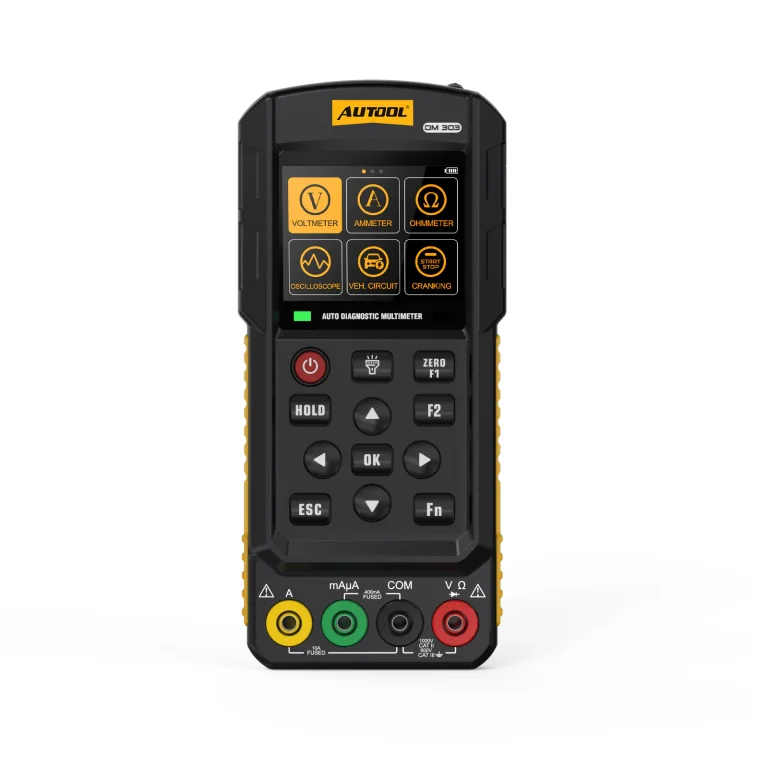

AUTOOL DM301 · Automotive Multimeter and 500 kHz Oscilloscope
Measure the Circuit and View Its Waveform
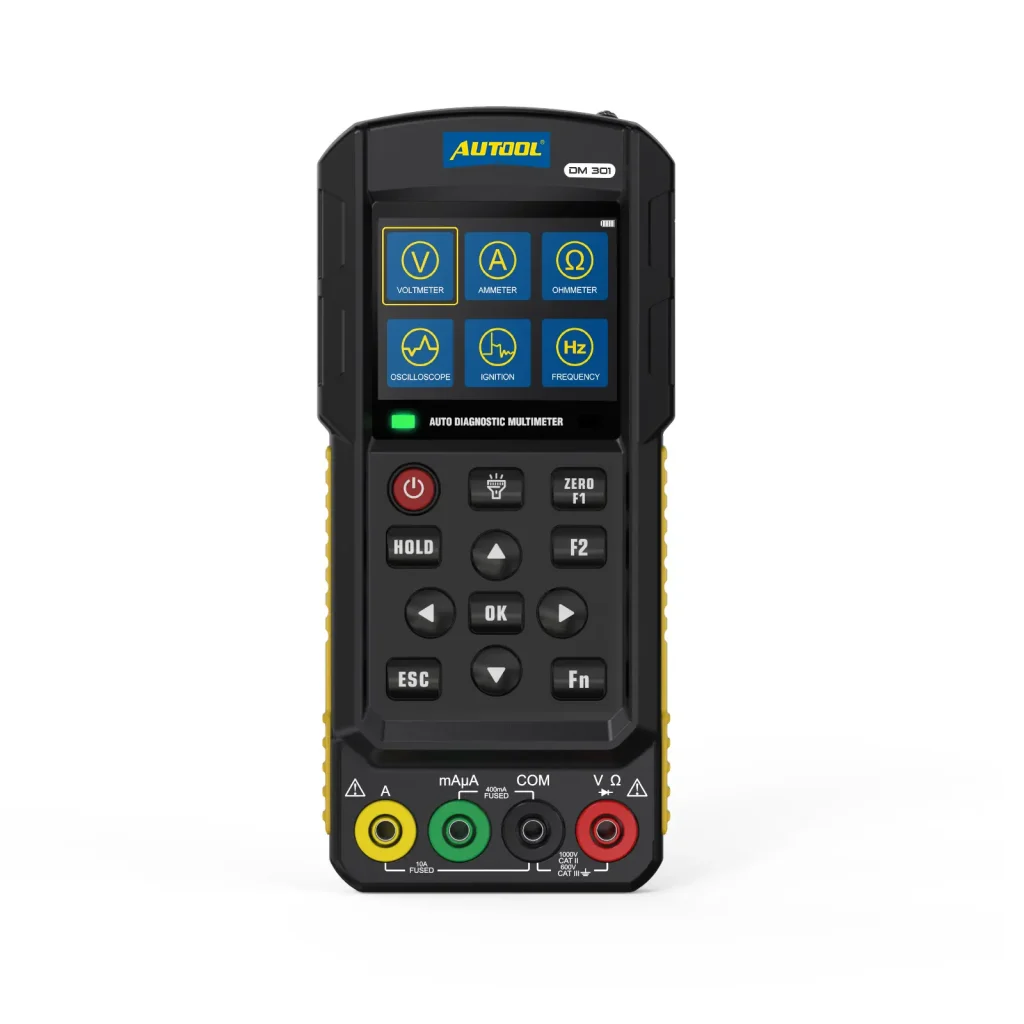
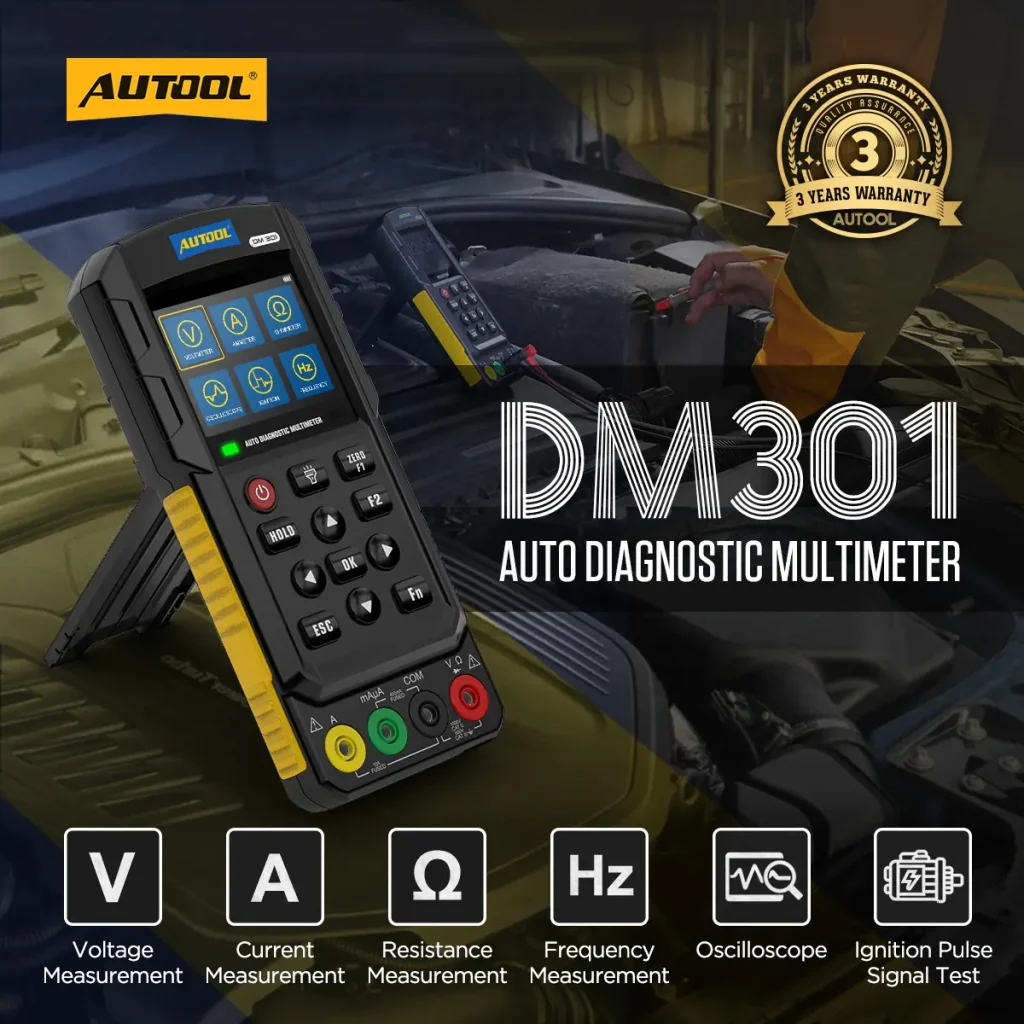
Measure automotive electrical values and view a single-channel waveform from one handheld tool. DM301 combines True RMS multimeter functions with a 500 kHz oscilloscope for ignition, camshaft, crankshaft, wheel-speed, and oxygen-sensor signal checks using the proper probes. Use its rated terminals and limits for high-voltage or current work.
- 500 kHz Single-Channel Scope
- DC 1000 V / AC 700 V DMM
- 1 Hz–1 MHz Frequency
- 2.8-Inch Color Display
- Optional Lithium Battery
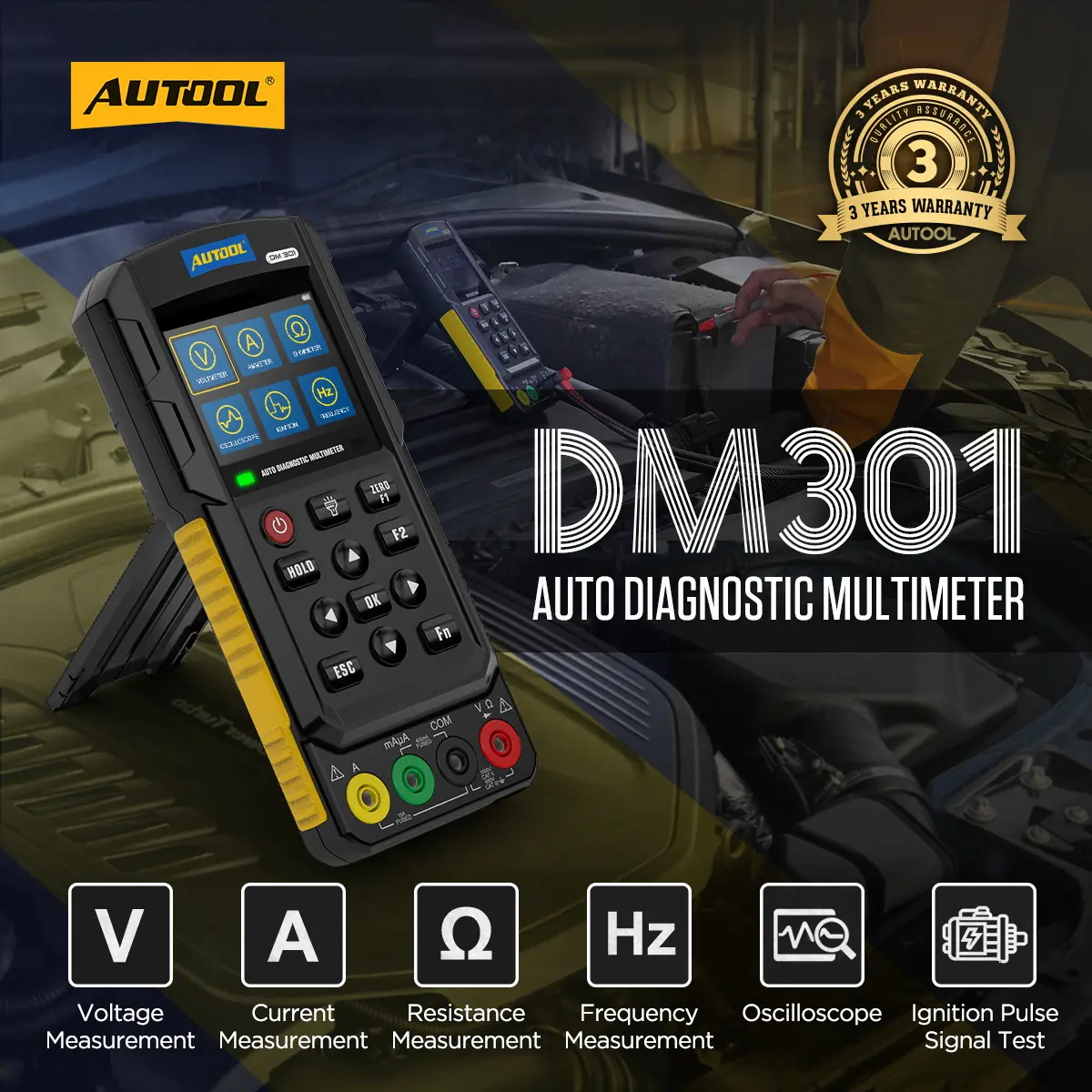
Key Features
True-RMS Meter with Single-Channel Scope
500 kHz Scope + Automotive DMM
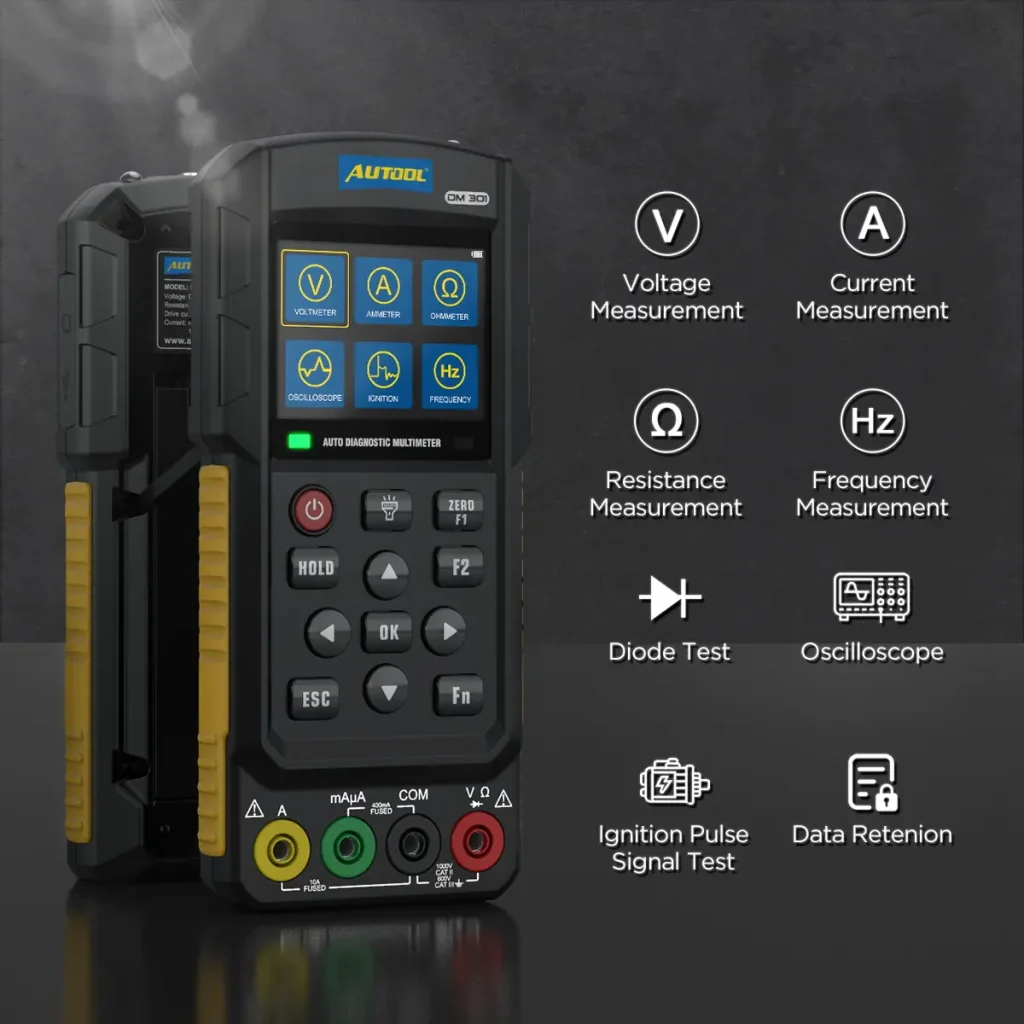
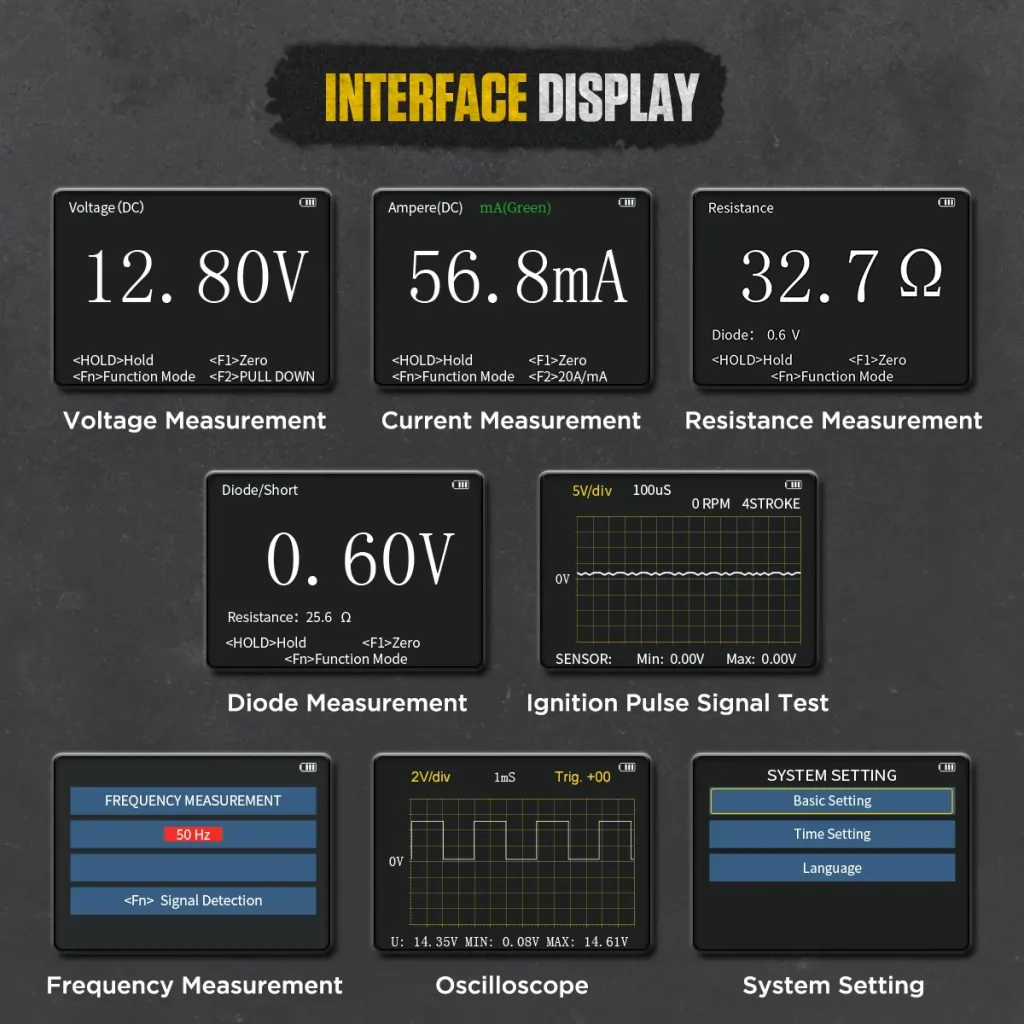
Combine voltage, current, resistance, frequency, diode, continuity-related, ignition-pulse, and basic waveform checks with a single-channel oscilloscope. The scope has stated 500 kHz analog bandwidth, a 1mS update rate, practical sweep-time and vertical-scale ranges, and one-button automatic waveform display.
DC / AC Voltage
Measure automotive-circuit voltage up to DC 1000V and AC 700V within the selected input, probe, and CAT conditions.
DC / AC Current
Measure 0-200mA current; the comparison range also lists 0-20A. The feature states 20 A maximum current and 10 A continuous current. Use the specified terminal, fuse, and lead for the selected mode.
Resistance + Diode
Measure resistance across the listed 0–1MΩ range and test diodes; the meter gives an audible alert when detected resistance is too low.
Frequency Measurement
Measure frequency signals from 1Hz to 1MHz for common automotive electrical-signal checks.
Auto Range + True RMS
Select the measurement mode and connect the test leads; DM301 automatically selects a suitable range and supports True RMS readings.
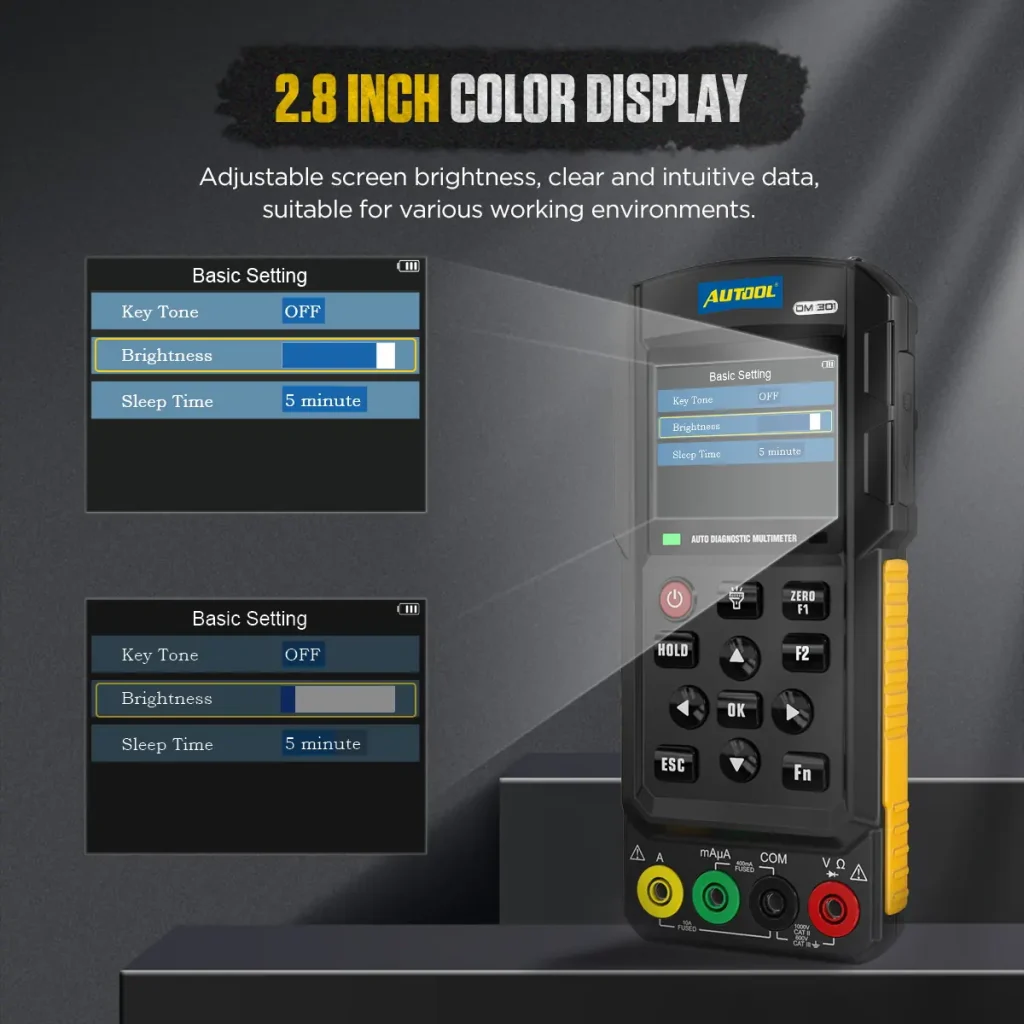
2.8-Inch Adjustable Display
Adjust the brightness of the 2.8-inch color screen for clear, intuitive viewing in different workshop and vehicle-side environments.
Multilingual Interface
Supports English, French, Portuguese, Polish, Spanish, Japanese, Russian, Italian, German, Dutch, Korean, Chinese, and Traditional Chinese.
SD Card Software Upgrade
Copy the application update file to an SD card and upgrade the instrument through the card.
Optional Lithium Battery
DM301 accepts a compatible optional lithium battery. Batteries are purchased separately, and dry batteries must not be charged through the device.
Controls, Connections + Stand
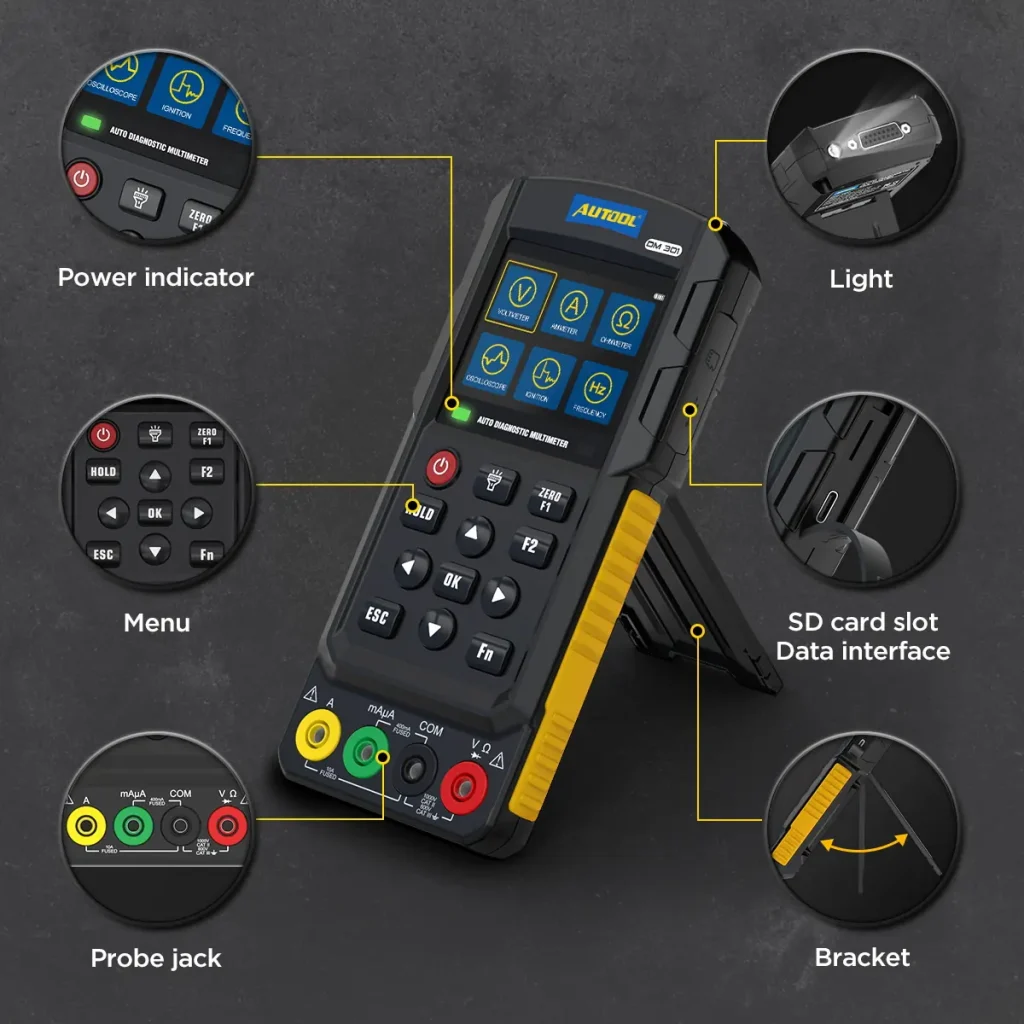
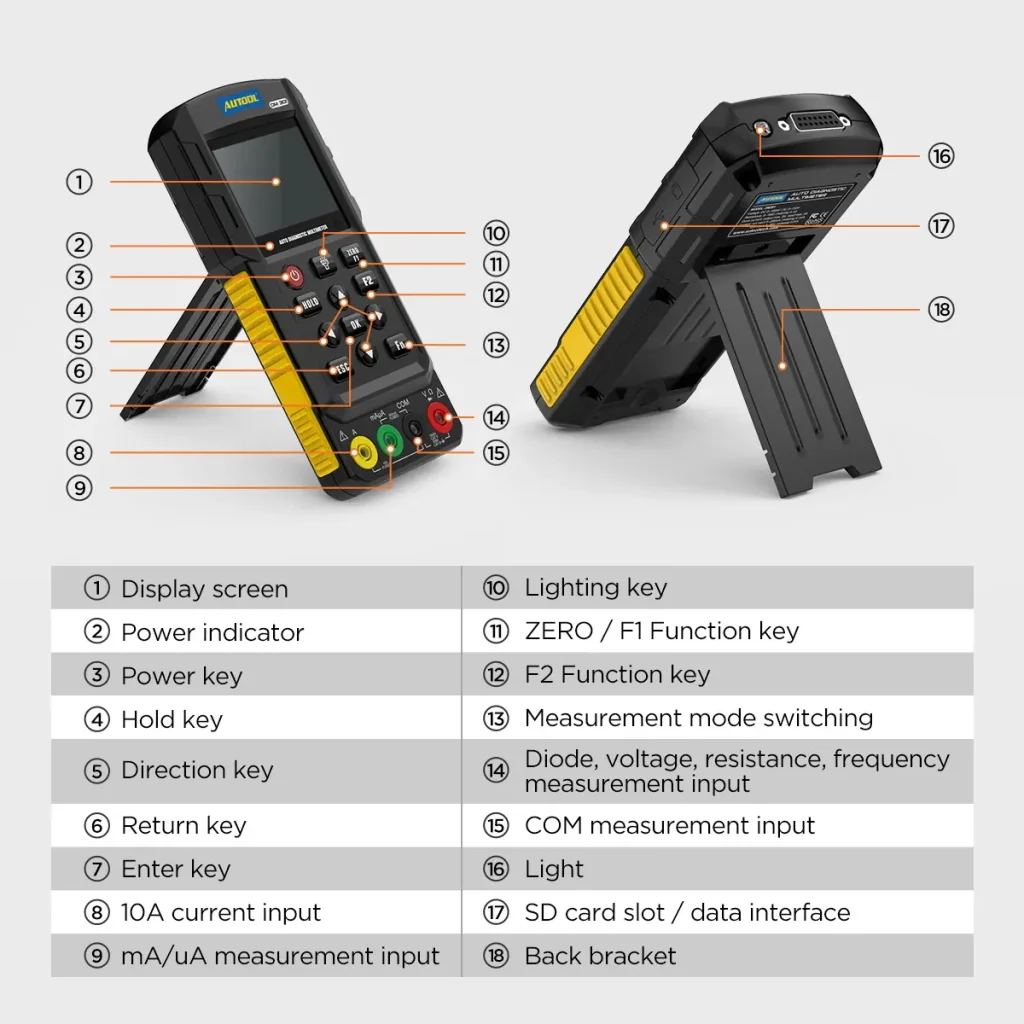
Front-panel keys, the marked button area, labeled measurement and accessory connections, connector-position reference, and rear bracket keep operation accessible and support upright viewing.
Automotive Signals + Safety Boundary
Select engine cylinder type and ignition mode to help calculate engine speed, and use the scope or measurement modes to observe ignition, camshaft, crankshaft, wheel-speed sensor, oxygen-sensor, and other fuel-engine or low-voltage signals. Use only documented low-voltage or properly isolated measurements within the selected input, probe, and CAT conditions; do not probe an EV traction circuit or motor power bus without separately rated HV procedures and equipment.
Workshop Circuit Testing
Use voltage, current, resistance, frequency, diode, and continuity-related checks for vehicle electrical-circuit troubleshooting.
Portable Field Kit
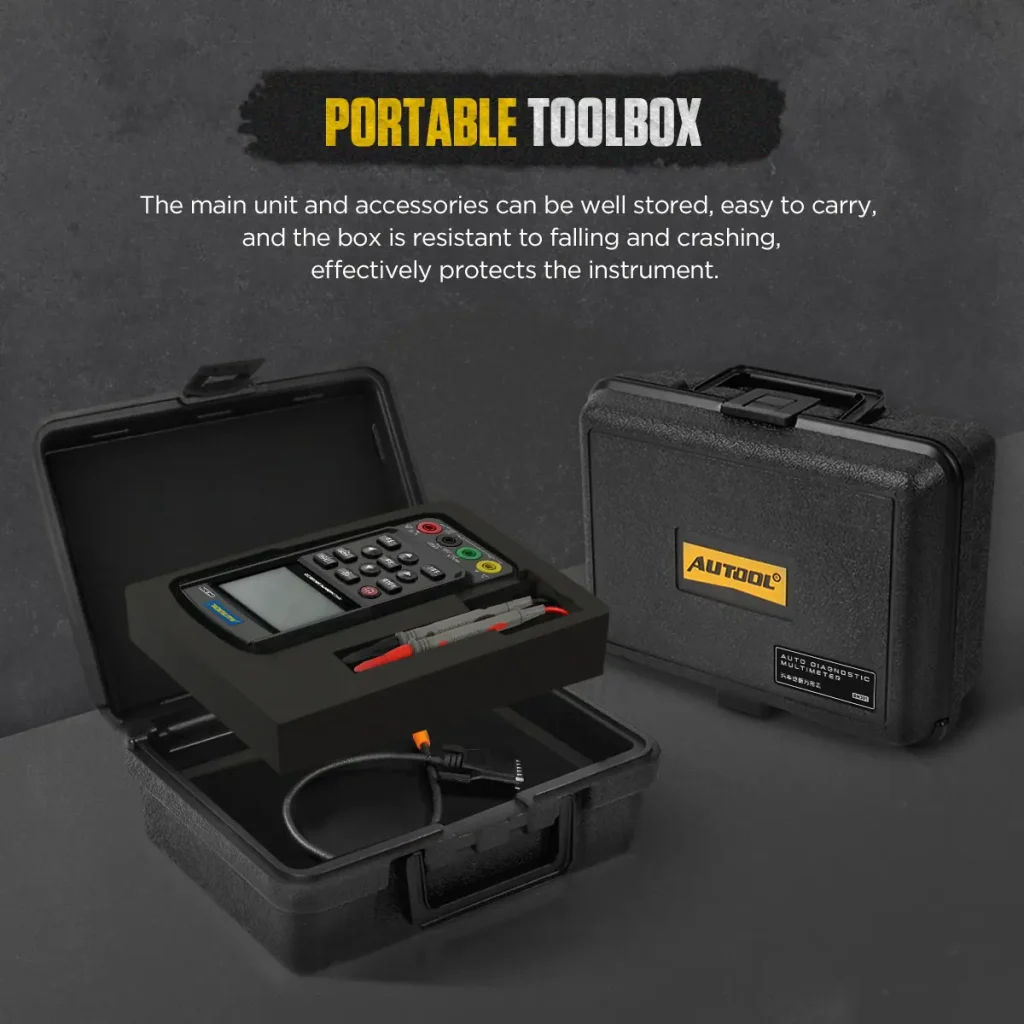
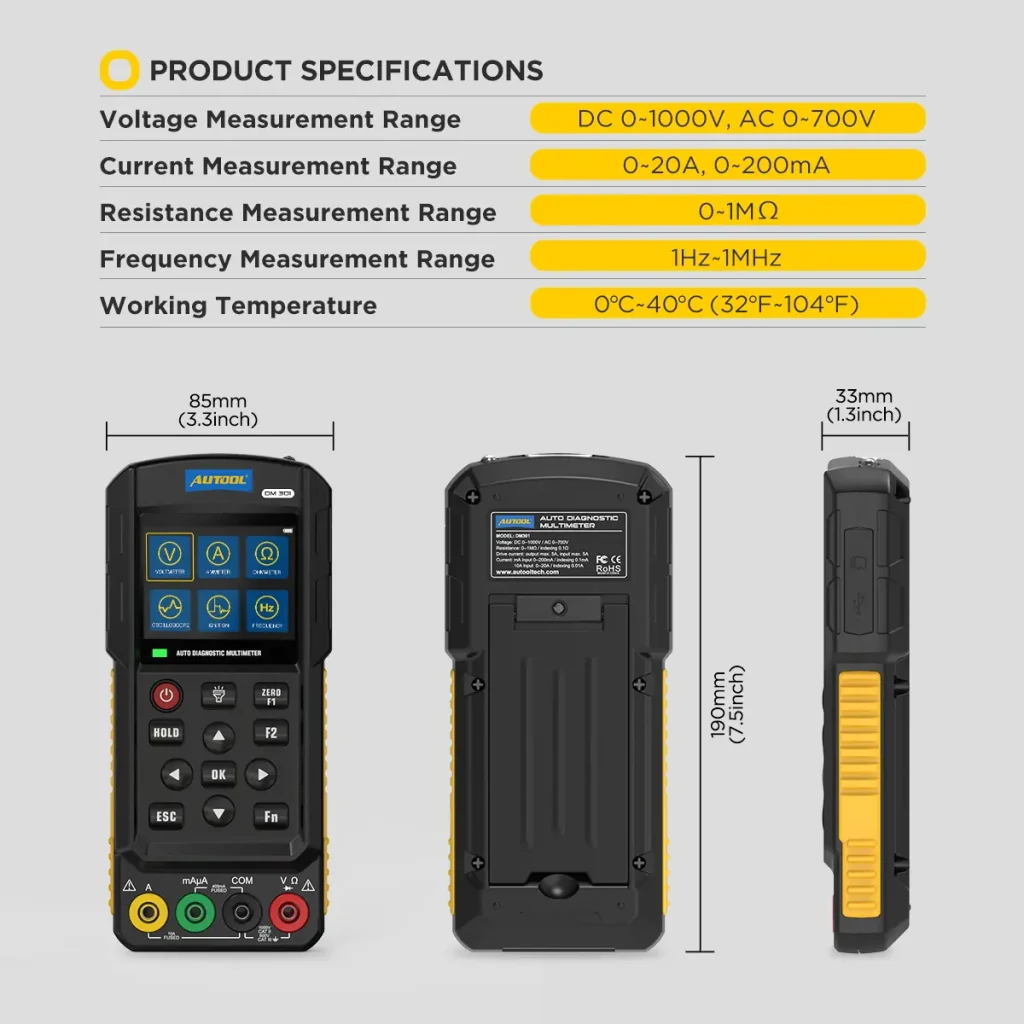
The handheld 85 × 190 × 33mm body, flashlight, rear bracket, and plastic toolbox support field diagnosis on trucks, sedans, buses, electric vehicles, and other vehicle types while storing the unit and accessories and helping protect them from drops and impacts.
3 Years Warranty Support
Main unit: 3-year warranty. Standard accessories: 1-year warranty. Warranty Policy.
Safe Use
Protect the Input and Ground Reference
Dry Battery Option
DM301 can use 4 × 1.5V dry batteries according to the battery compartment requirement.
Do Not Charge Dry Batteries
Only a compatible rechargeable lithium battery can be charged through the device. Do not charge dry batteries.
Batteries Are Not Included
DM301 / DM303 are shipped without batteries. Please purchase compatible batteries separately before use.
Optional Lithium Battery
A compatible lithium battery can also be installed by the user. Use the battery style shown as a reference before purchasing.
Interpret Multimeter and Waveform Results in Context
Use the input limit, terminal, fuse, lead and probe specified for the selected mode. Display counts, voltage range or waveform bandwidth do not extend the meter to an unlisted CAT or EV high-voltage task.
Specifications
DM301 Specifications
| Measurement & Readout | |
|---|---|
| Display Screen | 2.8-inch Color Screen |
| Languages | 13 Types |
| Voltage Measurement Range | AC: 0-700V DC: 0-1000V |
| Current Measurement Range | 0–20 A (20 A maximum; 10 A continuous); 0–200 mA |
| Resistance Measurement Range | 0-1MΩ |
| Frequency Measurement Range | 0-1MHz |
| Data Lock/Clear | ✓ |
| Automotive Functions & Fit | |
| Basic Functions | 6 Types |
| Automotive Circuit Drive Current | × |
| Fuel Injector Drive Signal Output | × |
| Detection Mode | Voltage Measurement Current Measurement Resistance Measurement Frequency Measurement Oscilloscope Mode Ignition Pulse Signal Testing |
| Applicable Vehicle Models | Trucks, Sedans, Buses, Electric Vehicles, and Other Vehicle Types |
| Power & Equipment | |
| Power Supply Method | Dry Battery TYPE-C [Optional] Lithium Battery |
| Accessories | 2 Types of Test Leads |
| Flashlight Function | ✓ |
| Equipped Toolbox | ✓ |
| Product Details | |
| Infrared resolution | Not stated |
| Frame rate | Not stated |
| Temperature range | Not stated |
| Thermal accuracy | Not stated |
| Emissivity | Not stated |
Manual & Support
Find the Manual and Measurement Guidance
AUTOOL DM301 User Manual
Open the PDF manual for AUTOOL DM301 multimeter measurements, single-channel waveform checks, probe and terminal selection, ignition and sensor diagnosis, electrical safety and troubleshooting support.
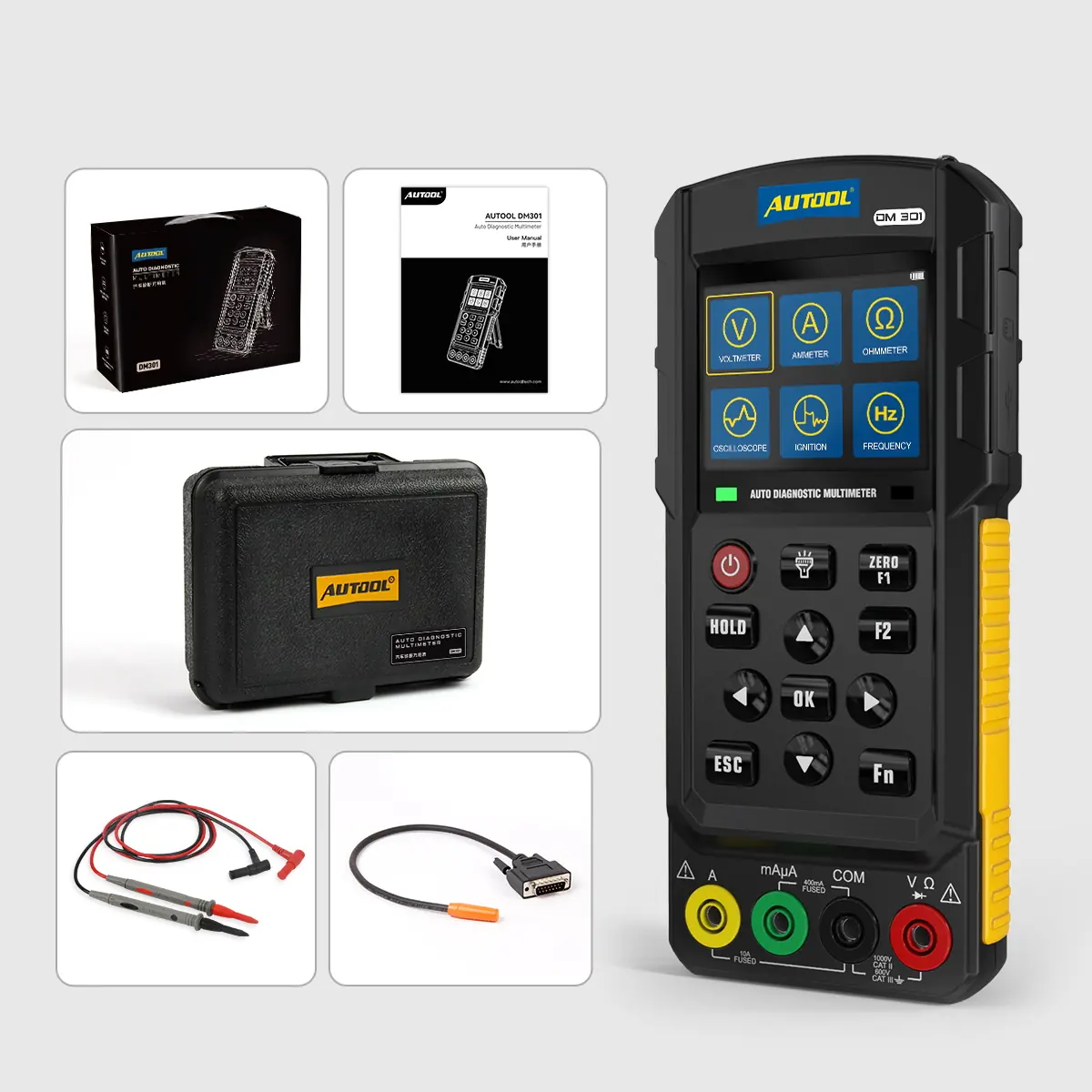
Package Contents
See What Comes in the Box
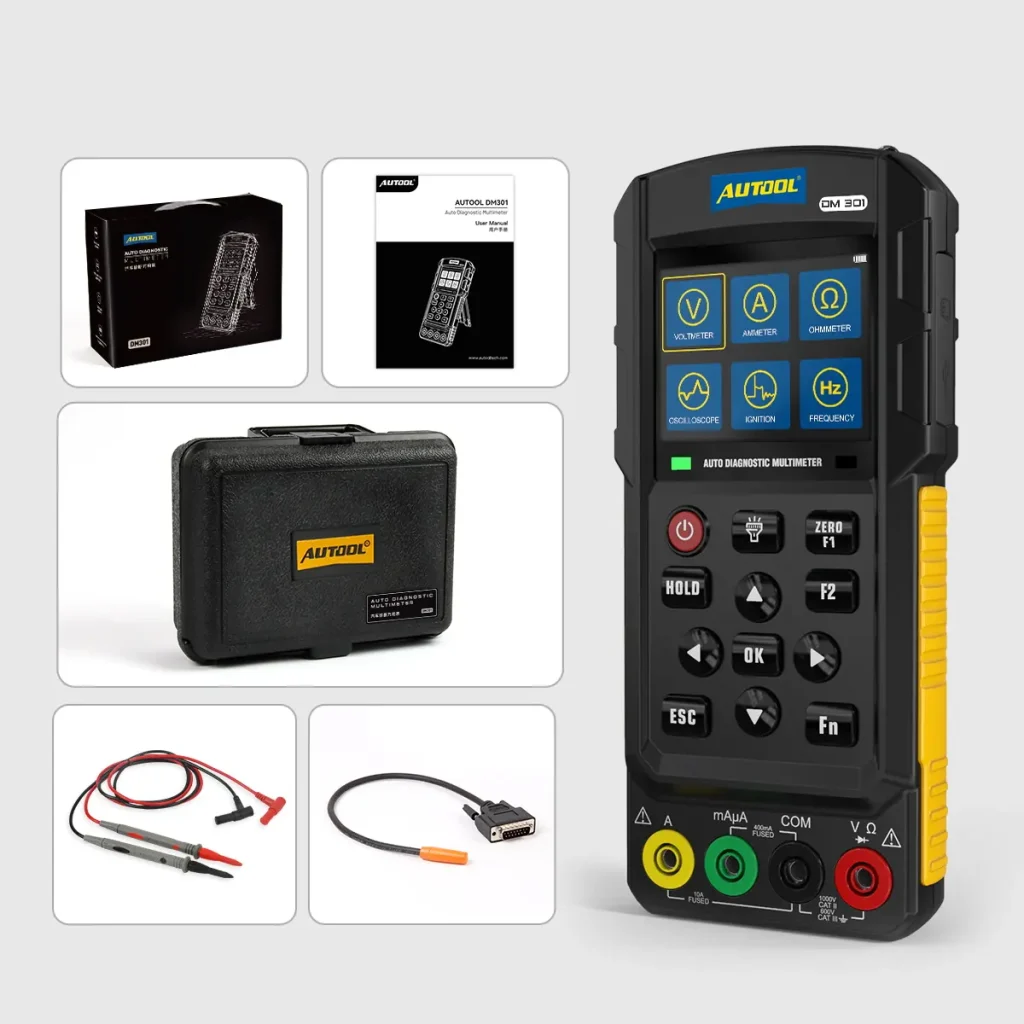
- Main UnitAUTOOL DM301 auto diagnostic multimeter
- StoragePortable toolbox
- Test Leads2 types of test leads
- Connector CableDB-style connector cable
- DocumentationUser manual and retail box
- BatteryBatteries are not included
Buyer Questions
Electrical Connection and Measurement Questions
Does AUTOOL DM301 Include Batteries?
No. DM301 / DM303 are shipped without batteries. You need to purchase compatible batteries separately before use.
What Battery Can I Use For DM301?
DM301 can use 4 × 1.5V dry batteries according to the battery compartment requirement. A compatible lithium battery can also be installed by the user. Check the lithium battery reference image and confirm compatibility before purchasing.
Can I Charge Dry Batteries Through The Type-C Port?
No. Do not charge dry batteries. Only a compatible rechargeable lithium battery can be charged through the device.
What Is The Difference Between DM301 And DM303?
DM301 focuses on core automotive multimeter and oscilloscope functions, including voltage, current, resistance, frequency, oscilloscope, diode, and ignition pulse signal testing. DM303 adds more automotive-specific diagnostic modes, including fuel injector testing, relay testing, automotive circuit testing, starting testing, signal simulation testing, CAN line data reading, and K/LIN line data reading. DM303 also includes more test leads.
What Measurements Does DM301 Support?
DM301 lists DC/AC voltage and current, resistance, diode, frequency, ignition-pulse and single-channel waveform functions. The stated 500 kHz figure is analog bandwidth, not sampling rate; use the mode-specific input and probe limits.
What Accessories Are Included With DM301?
Package contents: DM301 main unit, portable toolbox, user manual, retail box, two types of test leads, and connector cable. Batteries are not included.
Can DM301 Software Be Updated?
Yes. The DM301 application software can be updated by copying the update file to an SD card and using the instrument’s SD card slot / data interface according to the manual instructions.
Where Can I Download The DM301 Manual?
Use the Download section in this Description page to open the AUTOOL DM301 Manual PDF. The manual covers setup, operation, measurement modes, oscilloscope use, settings, software update, and safety guidance.