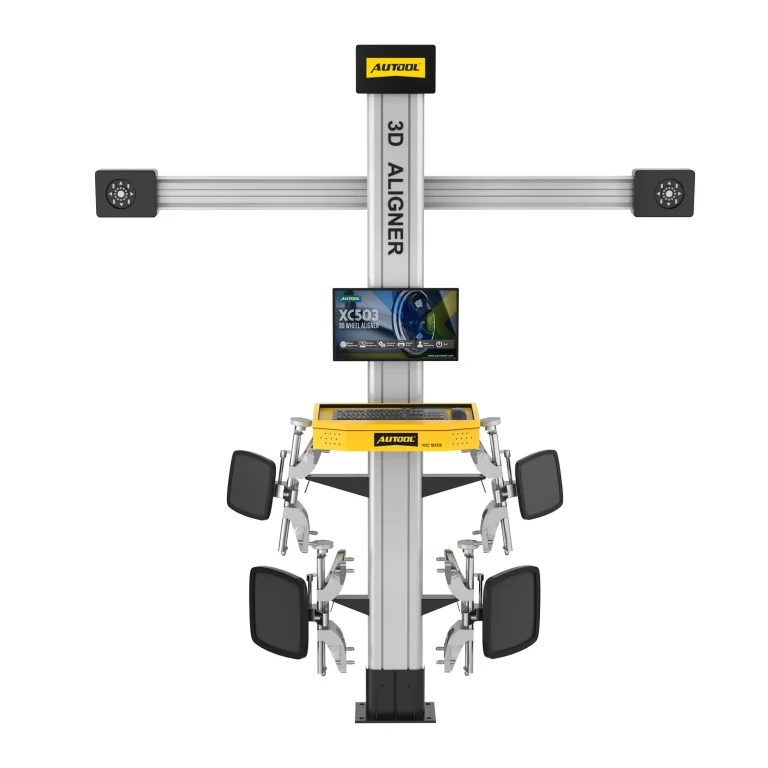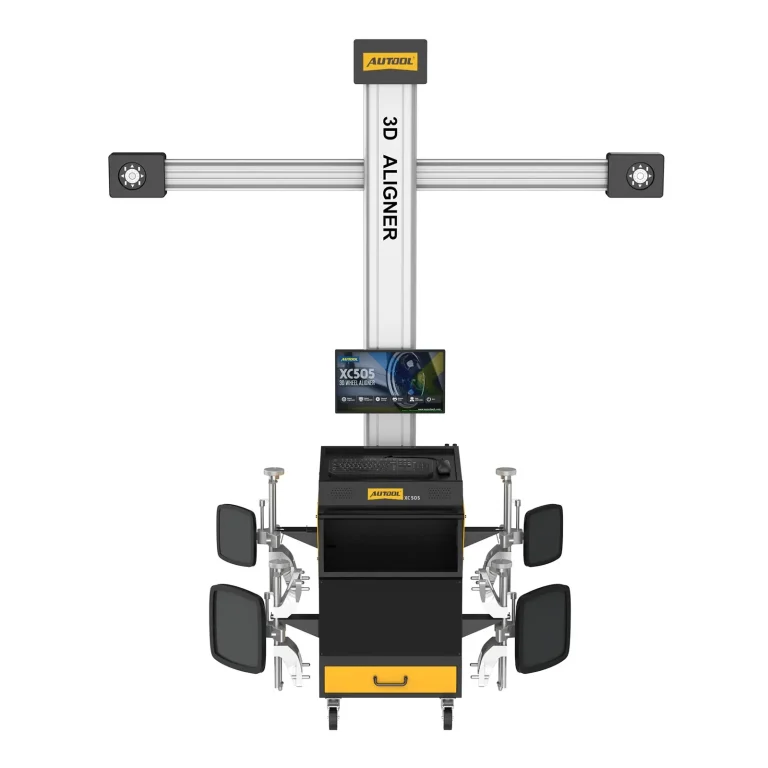
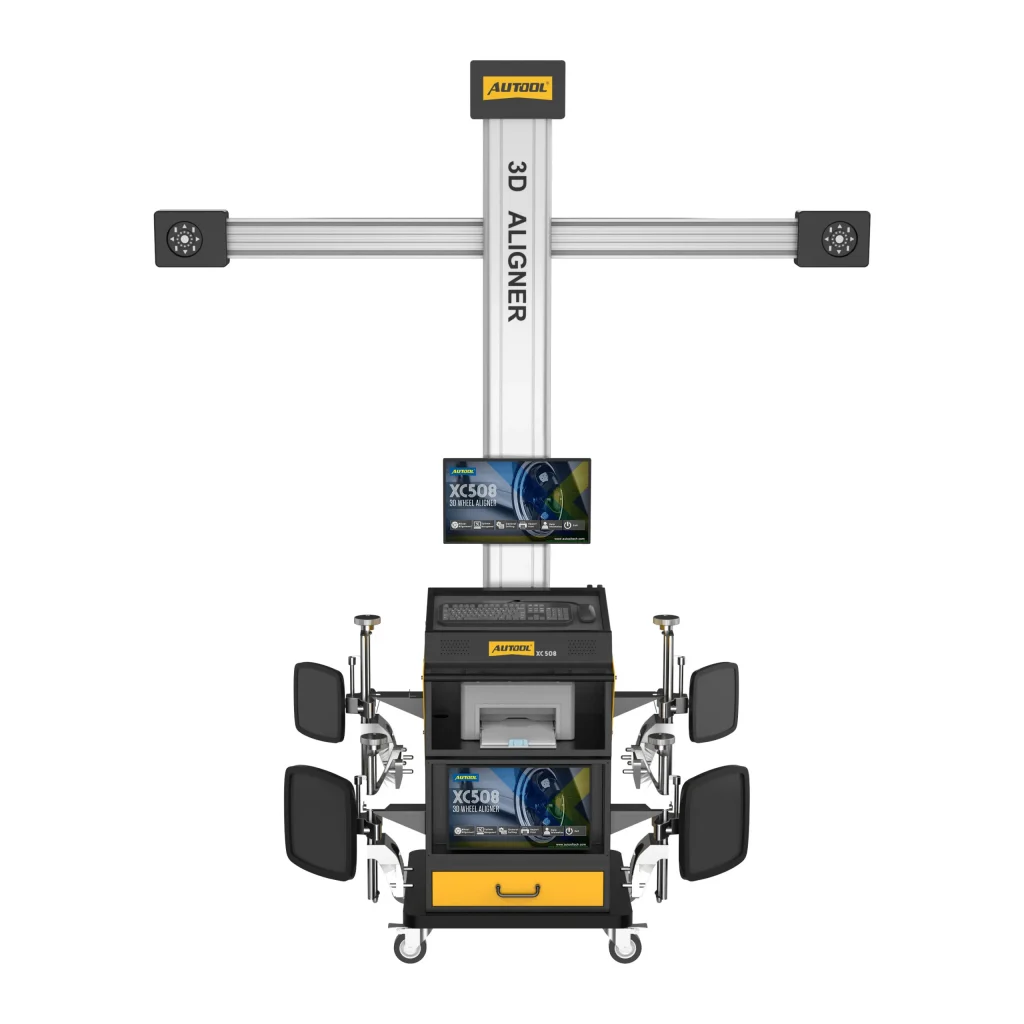
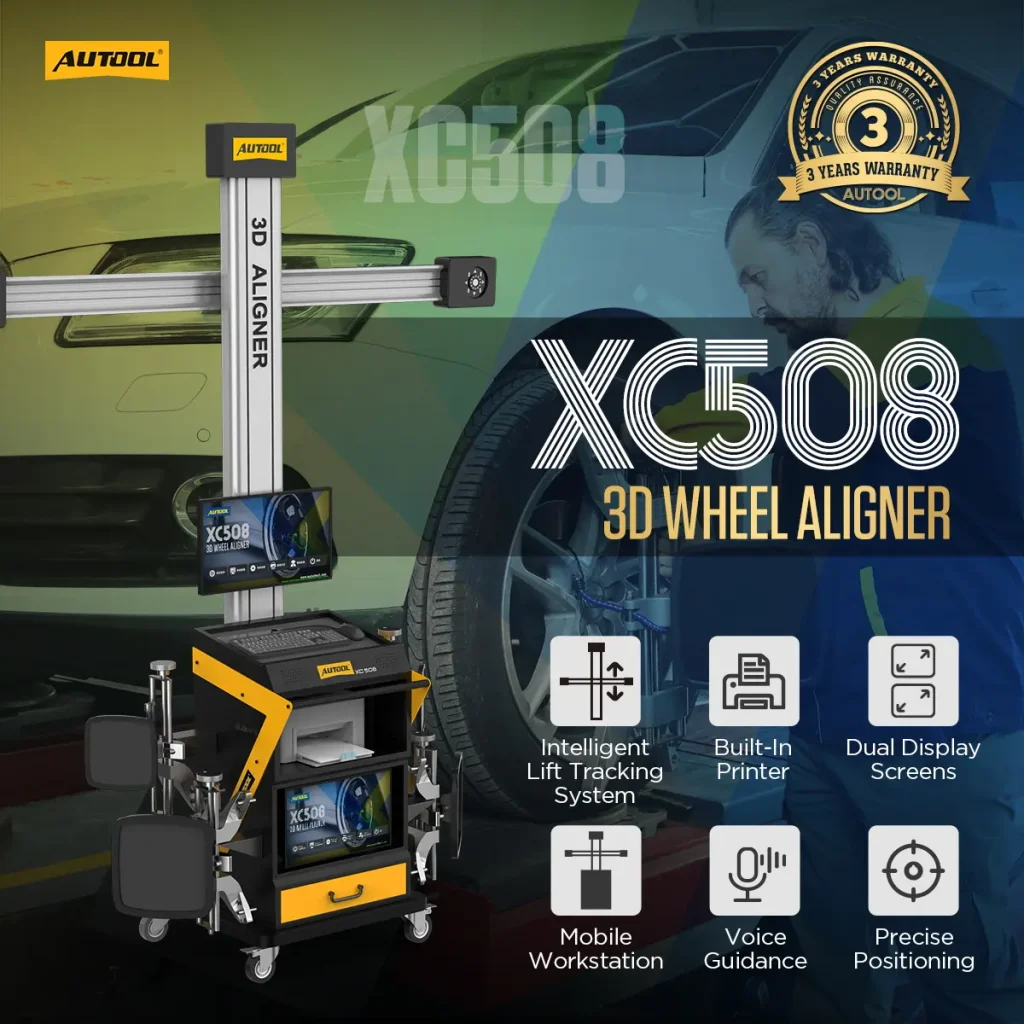
AUTOOL XC508 · Auto-Tracking 3D Wheel Aligner
Keep Cameras Aligned with Lift Height
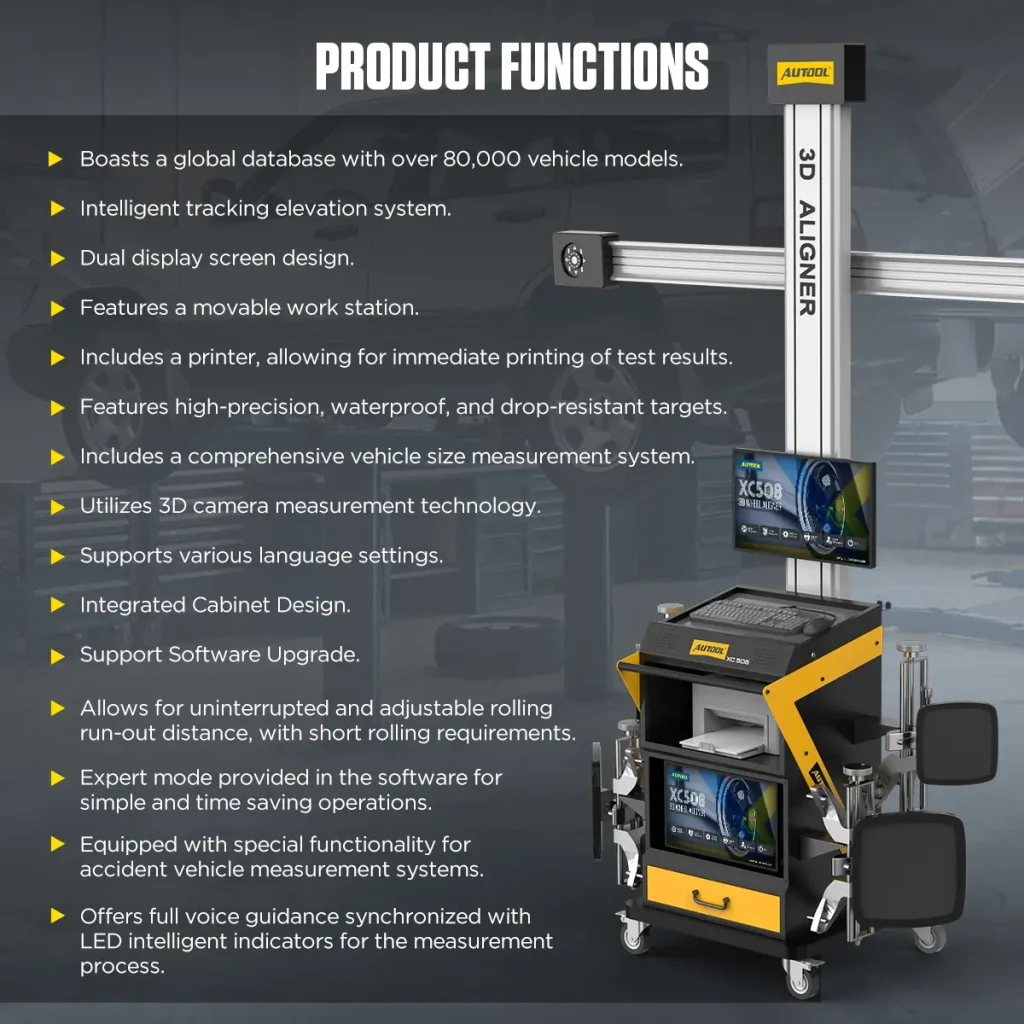
Keep the camera beam aligned with wheel-target height as a compatible lift moves through supported positions. Automatic height tracking, dual 19-inch displays, voice prompts, and LED indicators guide the 3D alignment workflow, while the built-in printer produces immediate service reports.
- Automatic Camera-Height Tracking
- 5 MP Camera System
- Dual Displays + Built-In Printer
- 8–12 cm Rolling Compensation
- 10–23 Inch Listed Rim Range
Key Features
Automatically Track Lift Height and Print Wheel Alignment Reports In-Bay
Latest 3D Camera Measurement
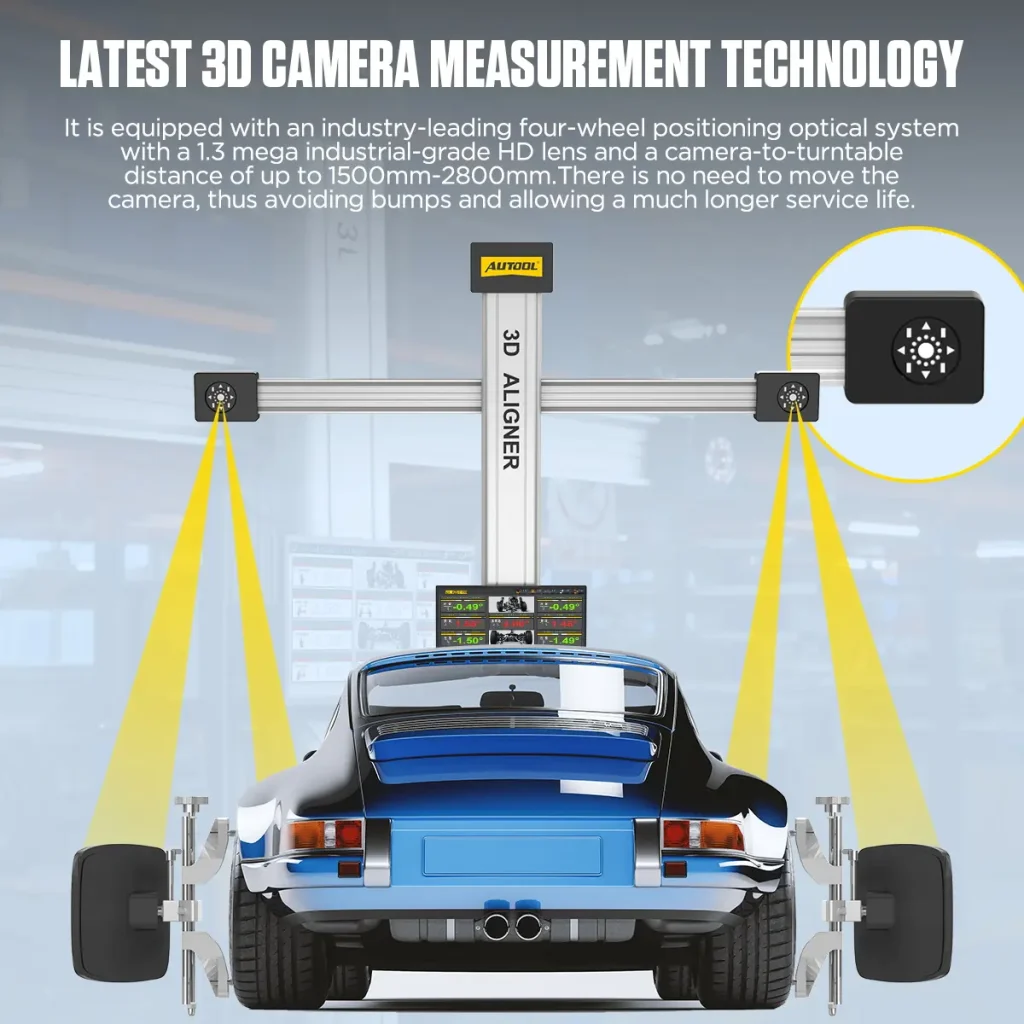
The four-wheel alignment optical system uses a 5-megapixel industrial-grade HD lens. The distance from camera to turntable can reach 1500–2800mm, so the camera does not need to be moved during use.
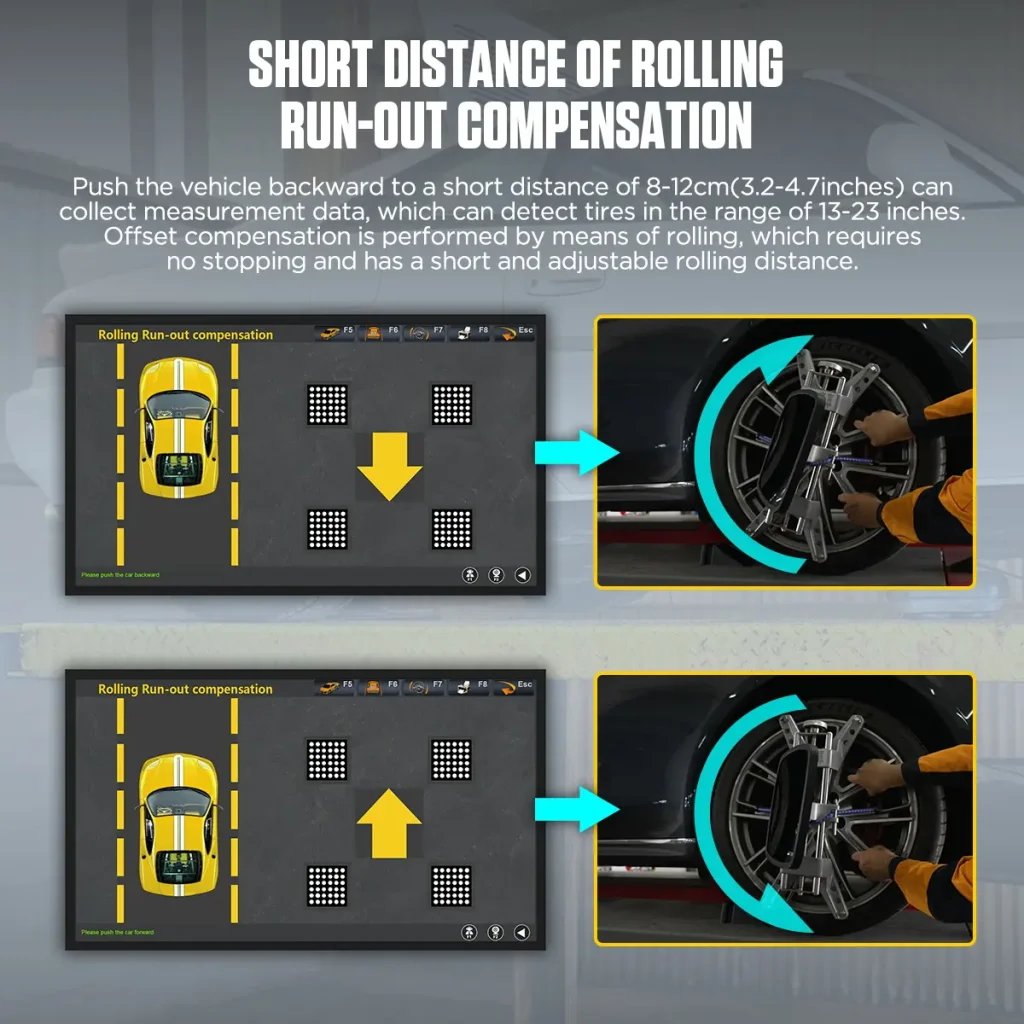
Short Distance Runout Compensation
Push the vehicle 8–12 cm / 3.2–4.7 in to collect measurement data and perform rolling runout compensation without stopping; adjust the rolling distance for the workshop and vehicle situation.
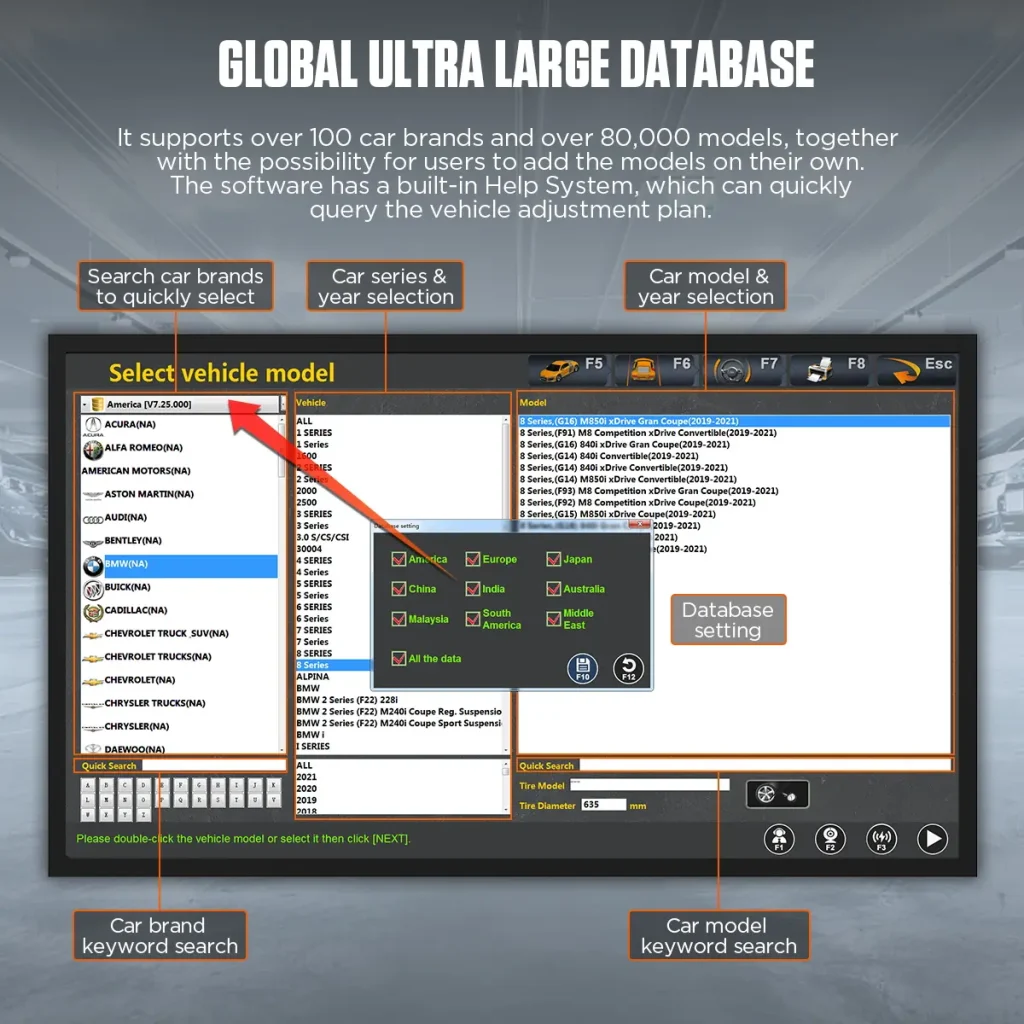
Global Vehicle Database
The software supports more than 100 car brands and more than 50,000 vehicle models. Users can add custom models, and the built-in help system supports vehicle adjustment-plan lookup.
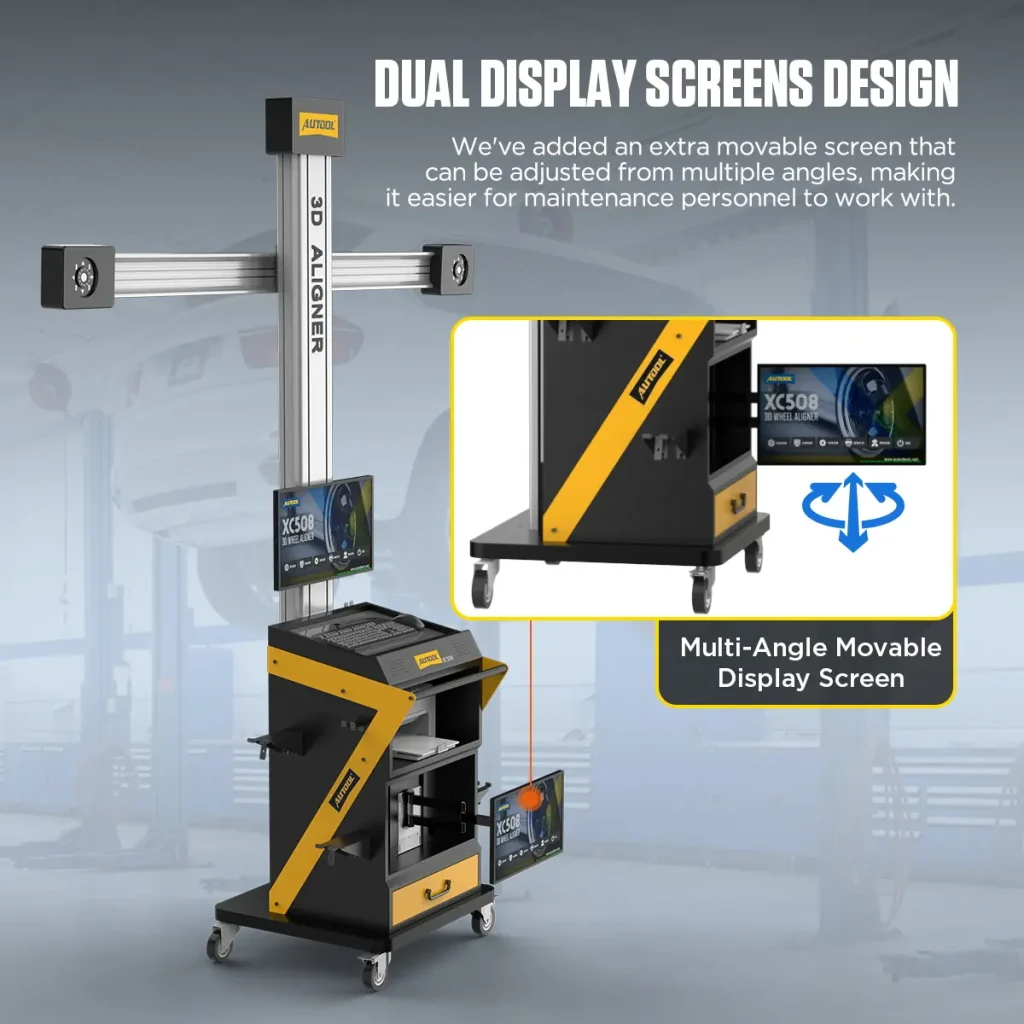
Dual Display Design
XC508 includes dual 19-inch color LCD monitors. The movable screen can be adjusted at multiple angles to make workshop operation more convenient.
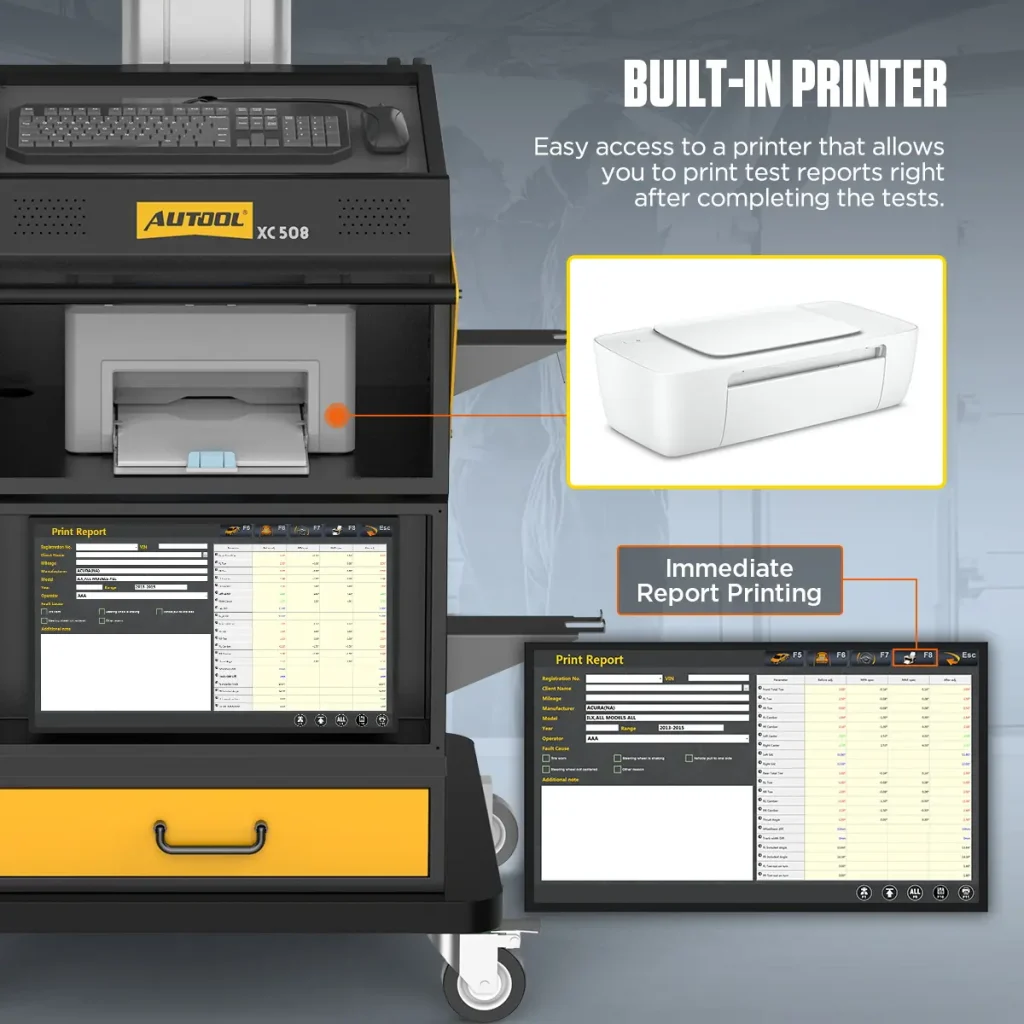
Built-In Printer
The built-in printer can print an alignment test report immediately after measurement for customer communication and workshop records.
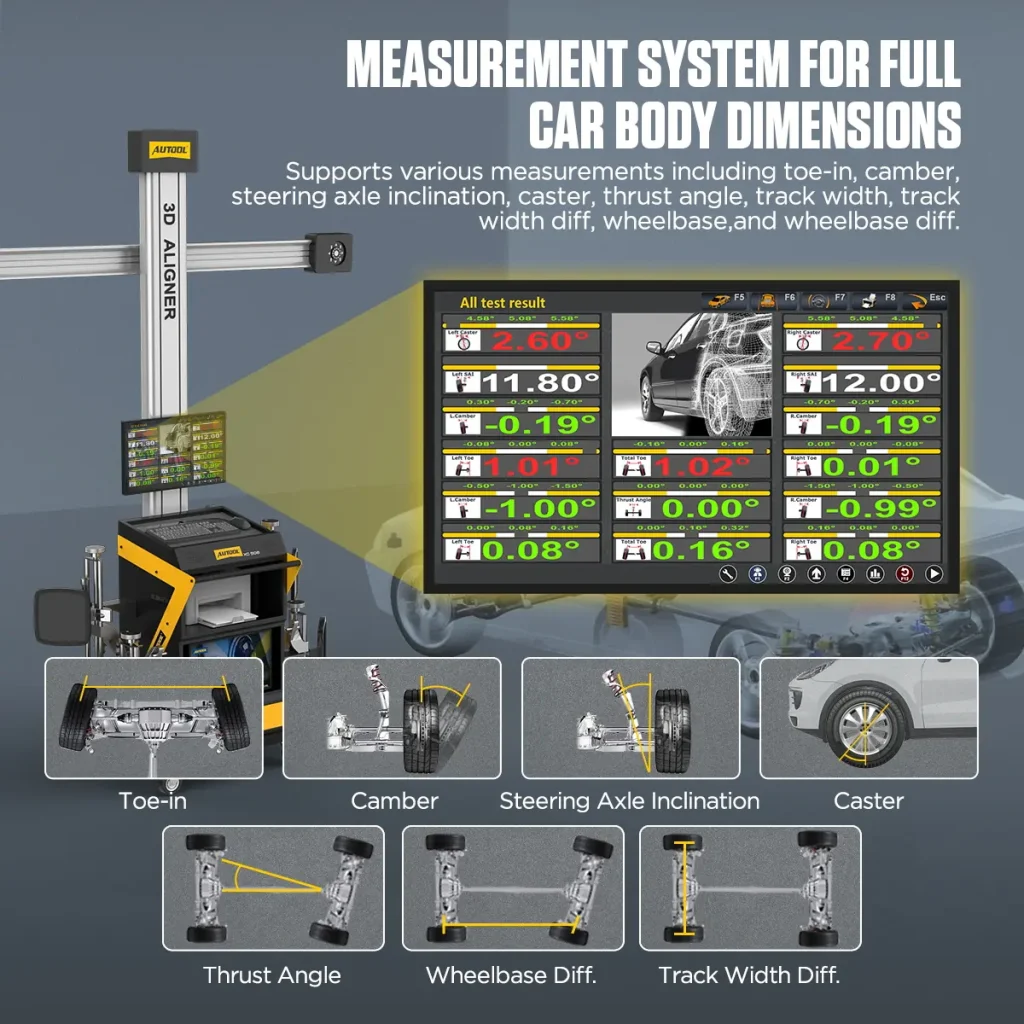
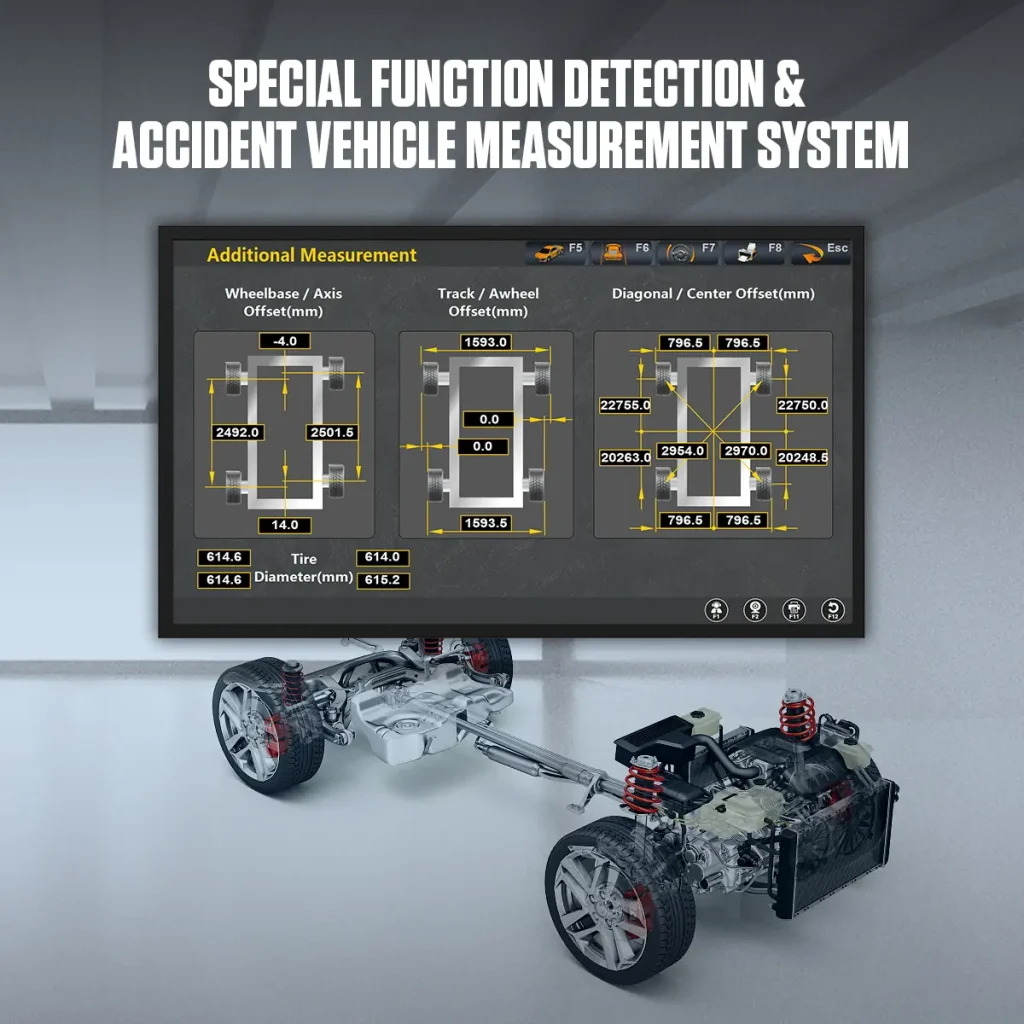
Body Size Measurement System
The system supports toe, camber, caster, thrust angle, track, track difference, wheelbase, wheelbase difference, and accident vehicle measurement functions.
Waterproof Drop-Resistant Wheel Alignment Targets
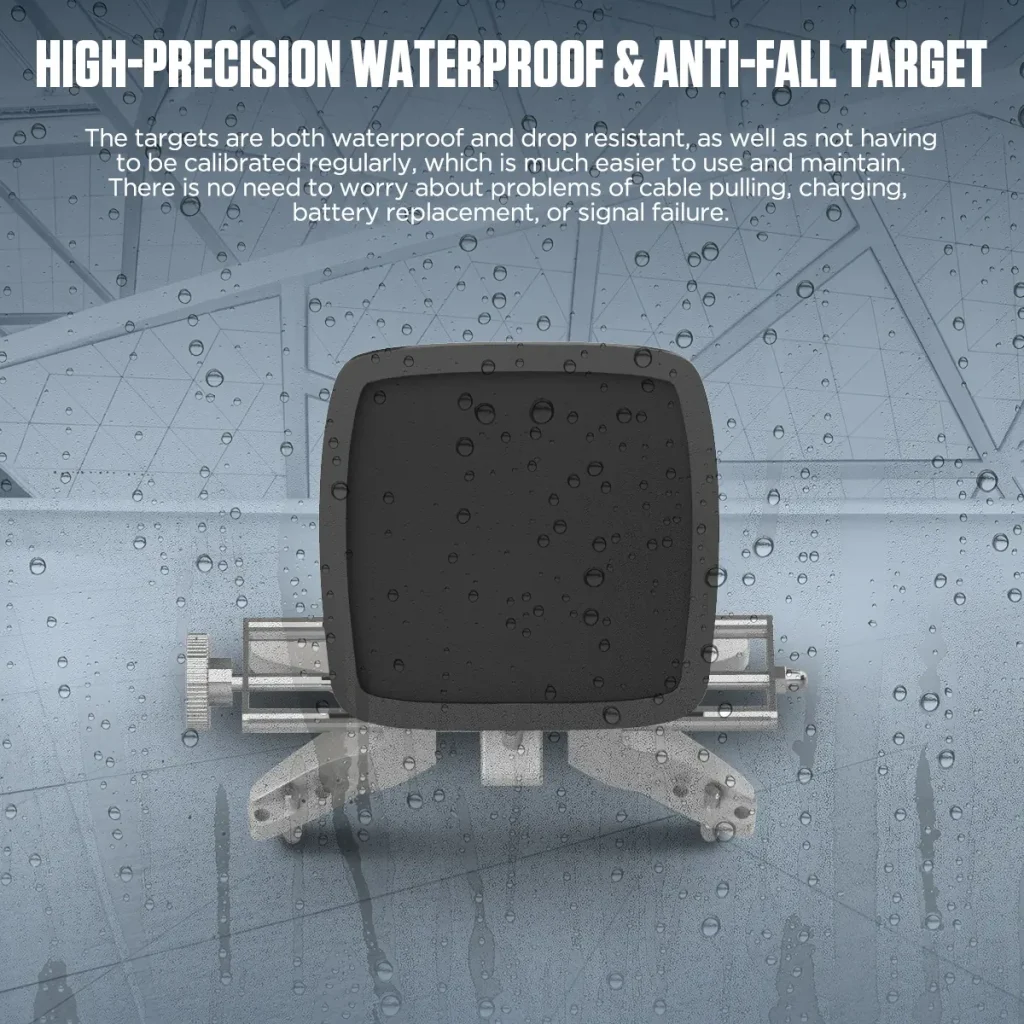
The high-precision passive targets are waterproof and drop-resistant, require no regular calibration, and avoid issues from cables, charging, battery replacement, or signal failure.
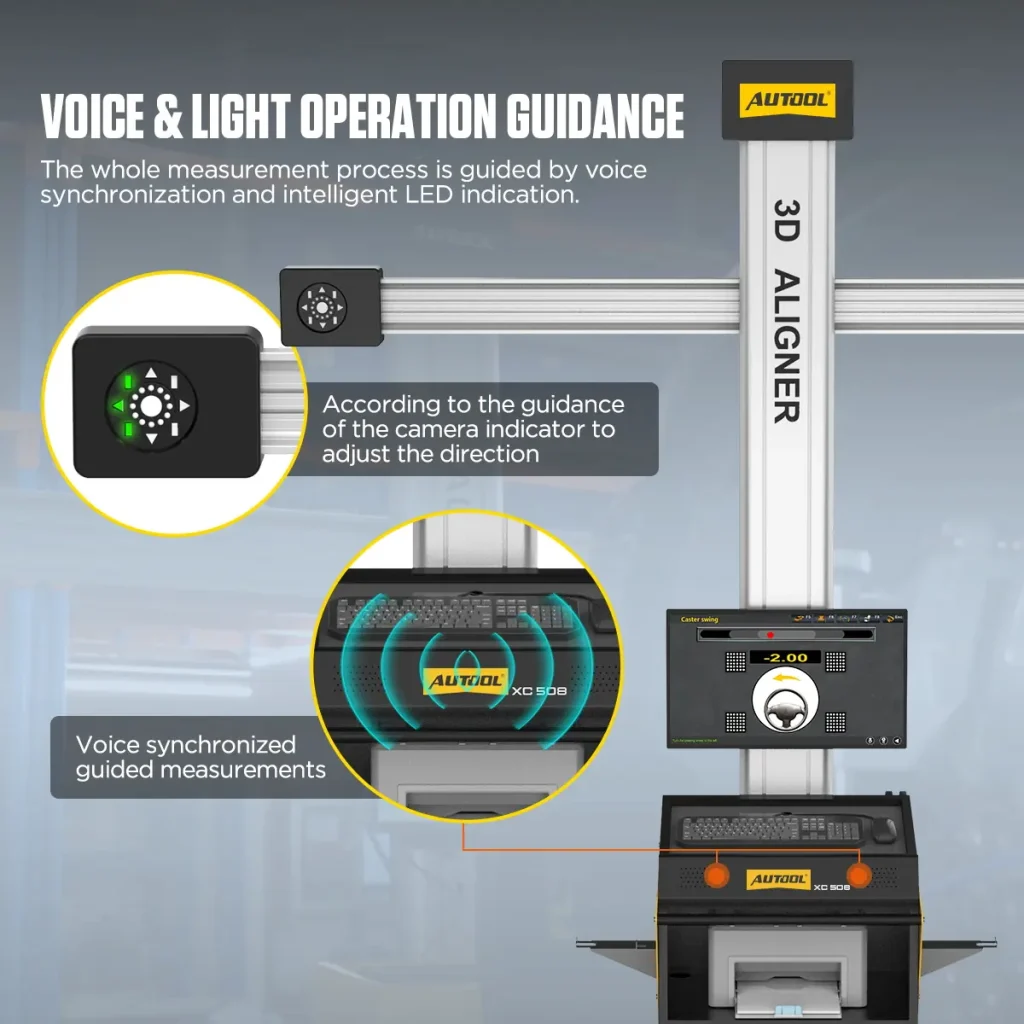
Voice And LED Operation Guidance
Synchronized voice prompts and intelligent LED indicators guide technicians through the measurement workflow.
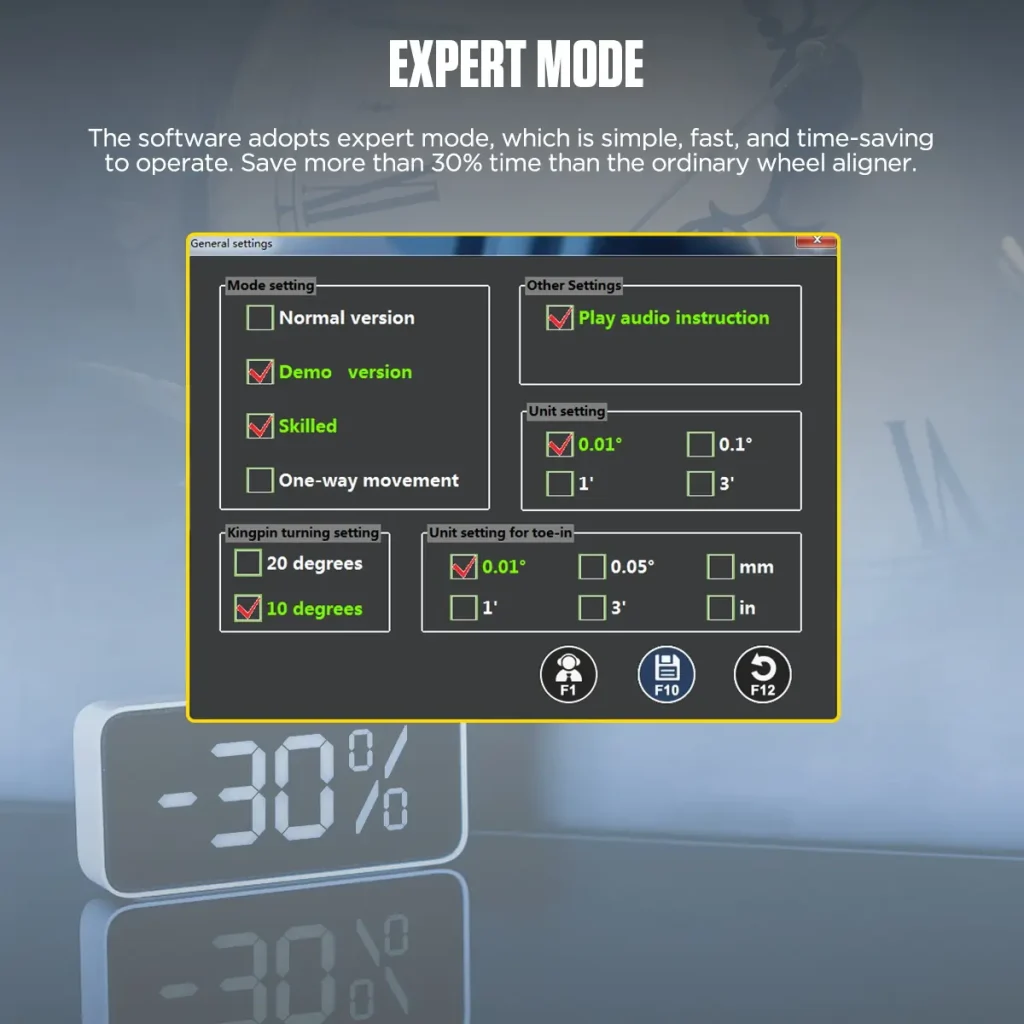
Expert Mode And Multi-Language Support
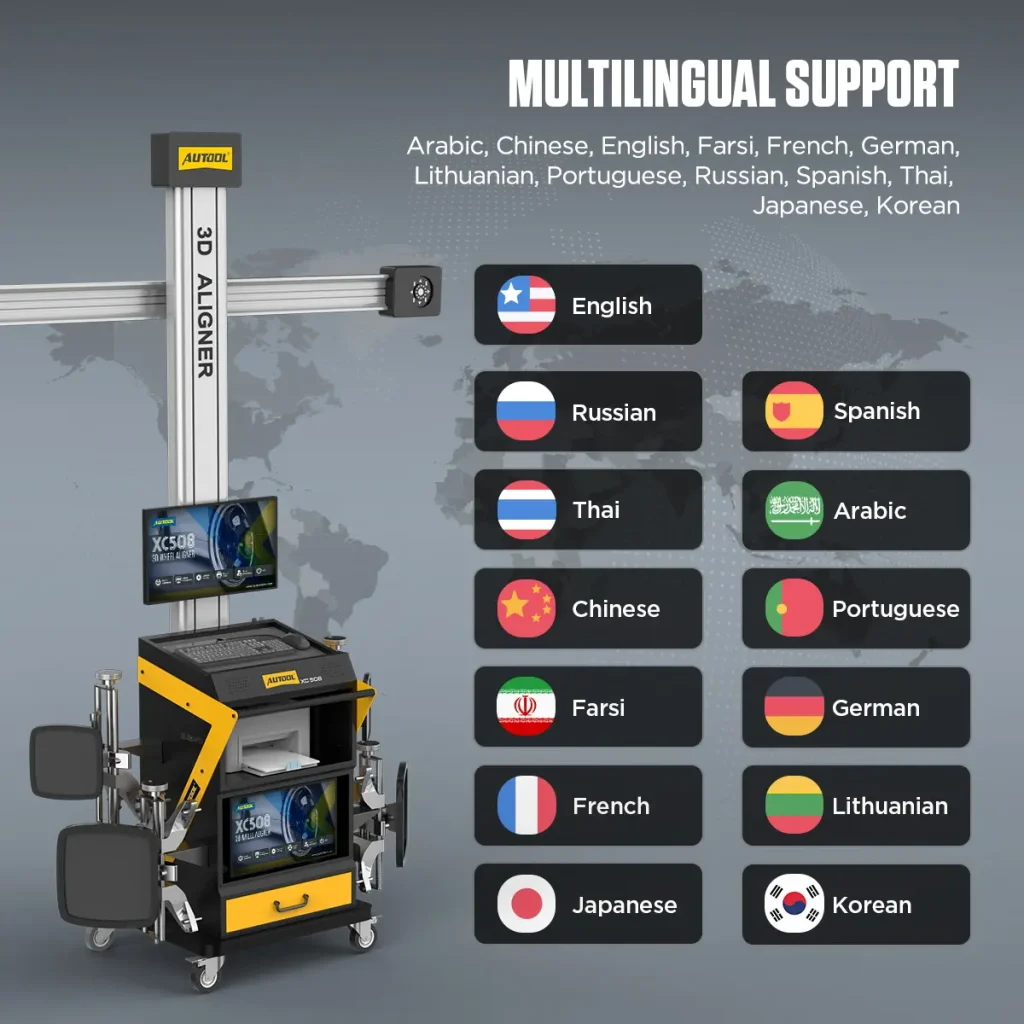
Expert mode is designed for simple, fast, time-saving operation. The system supports Chinese, English, Spanish, Russian, German, Farsi, Arabic, Lithuanian, Japanese, French, Thai, Portuguese, and Korean.
Wheel And Body Geometry
Measure toe, camber, caster, thrust angle, track width, and wheelbase, with additional diagonal measurements for body-dimension checks.
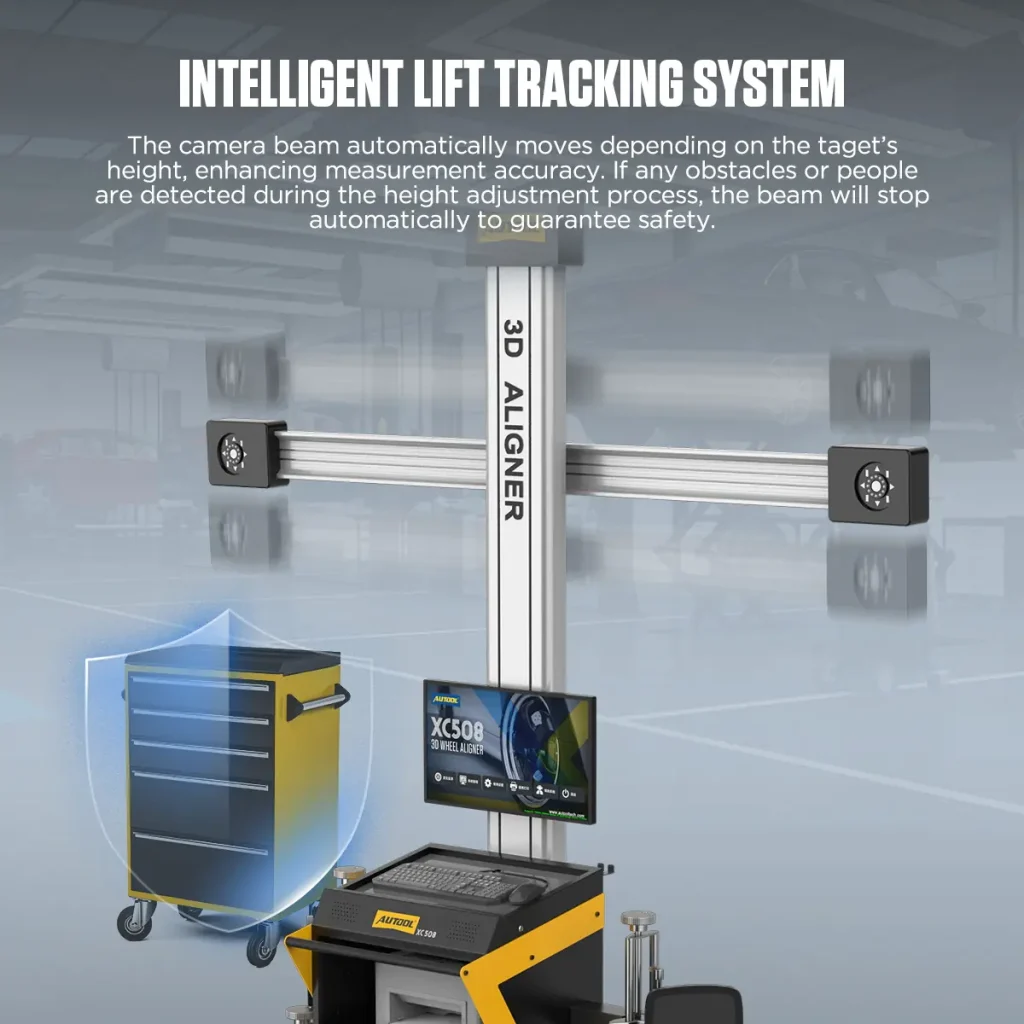
Automatic Camera-Height Tracking
The camera beam automatically tracks lift-height changes to follow the wheel targets during supported alignment work.
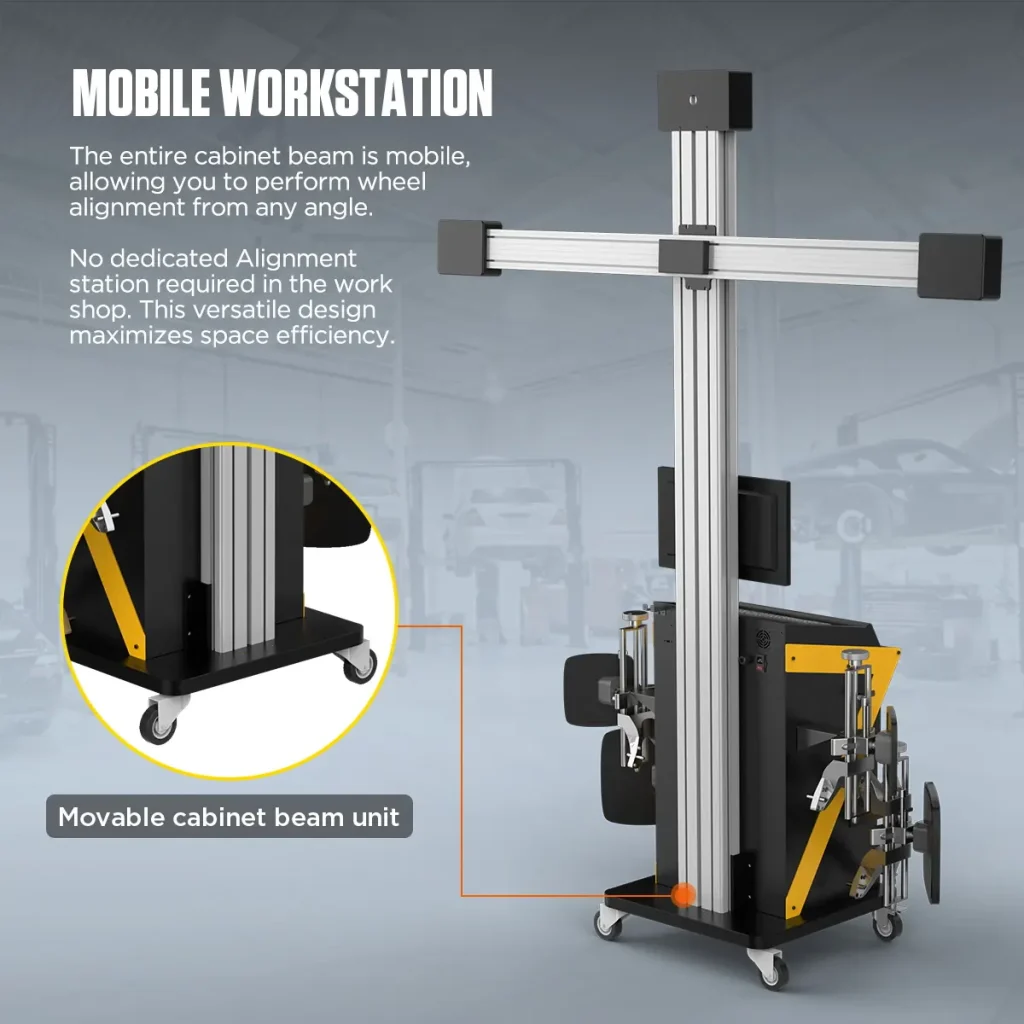
Mobile Alignment Workstation
The cabinet and crossbar design supports wheel alignment from different angles and helps workshops reduce dependence on a fixed dedicated alignment station.
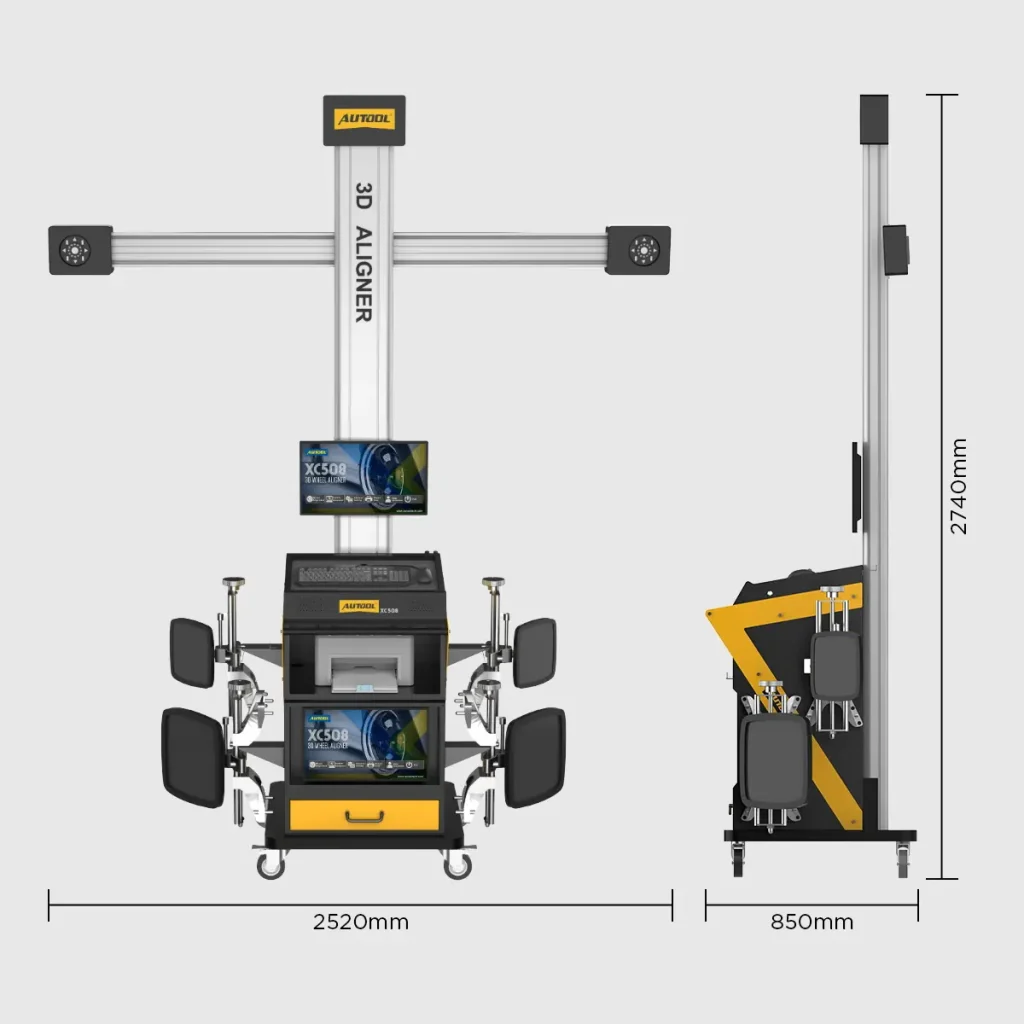
The mobile wheel alignment machine brings cameras, screens, and report printing together on a wheeled workstation. Plan the bay around the specified machine footprint and lift layout before installation.
Factory Calibration
The wheel alignment machine is calibrated before leaving the factory, so it can be installed and used directly after delivery according to the setup guidance.
Automatic Beam Movement
Choose XC508 if you want the camera beam to move automatically according to target height. During height adjustment, the crossbeam can stop if an obstacle or person is detected.
Power Voltage Selection
XC508 offers 110V and 220V options. Choose the correct voltage before payment to match your local power environment.
Warehouse and Shipping Choice
Select the correct warehouse before payment. EU users choosing Germany stock should confirm the available shipping option with your seller and any duty-related notes before payment.
Workshop Purchase Fit
Check available space, vehicle type, technician skill level, expected ROI, and the features needed for your shop before choosing a wheel aligner.
Rim Size Limits
The specification table lists 10–23 inch rim diameter. If you need 24-inch wheel calibration, contact support with your rim and vehicle information before ordering.
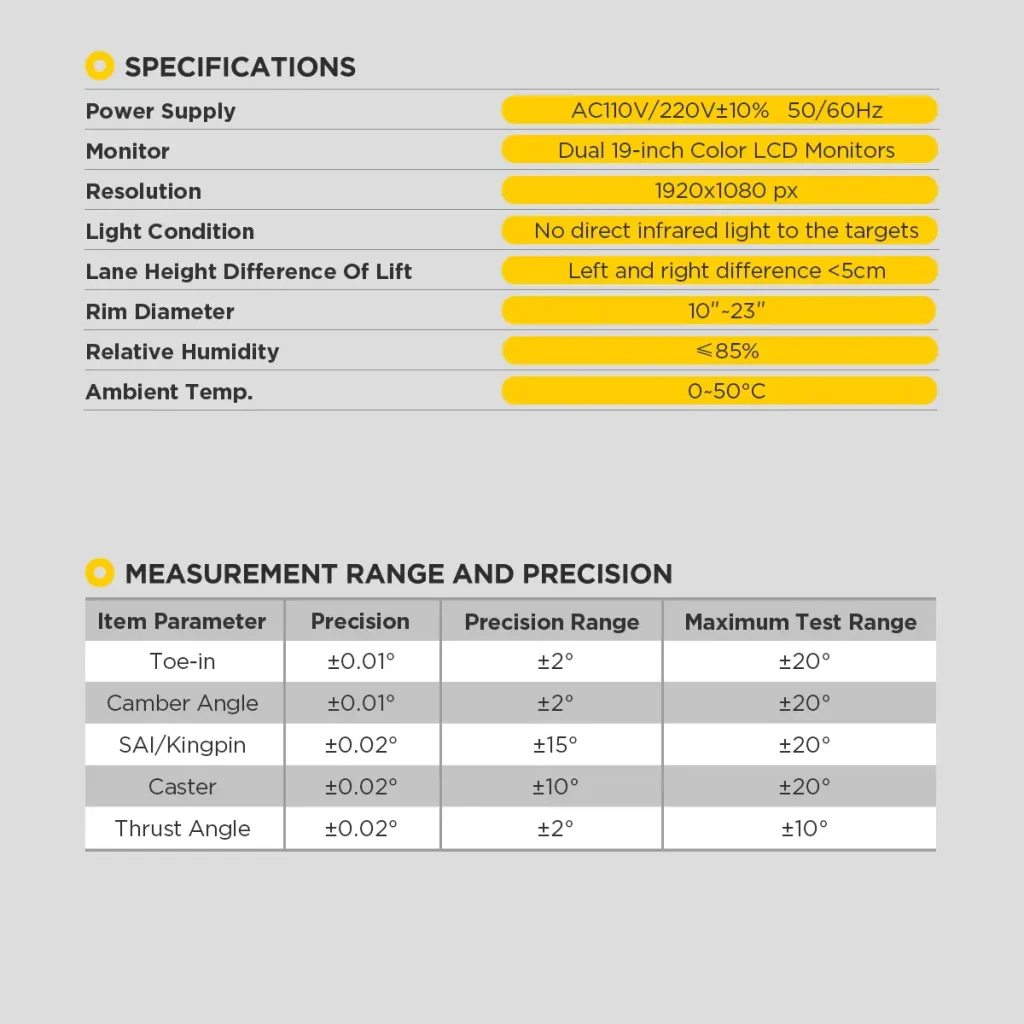
Toe and Camber Precision
Toe and camber precision: ±0.01°.
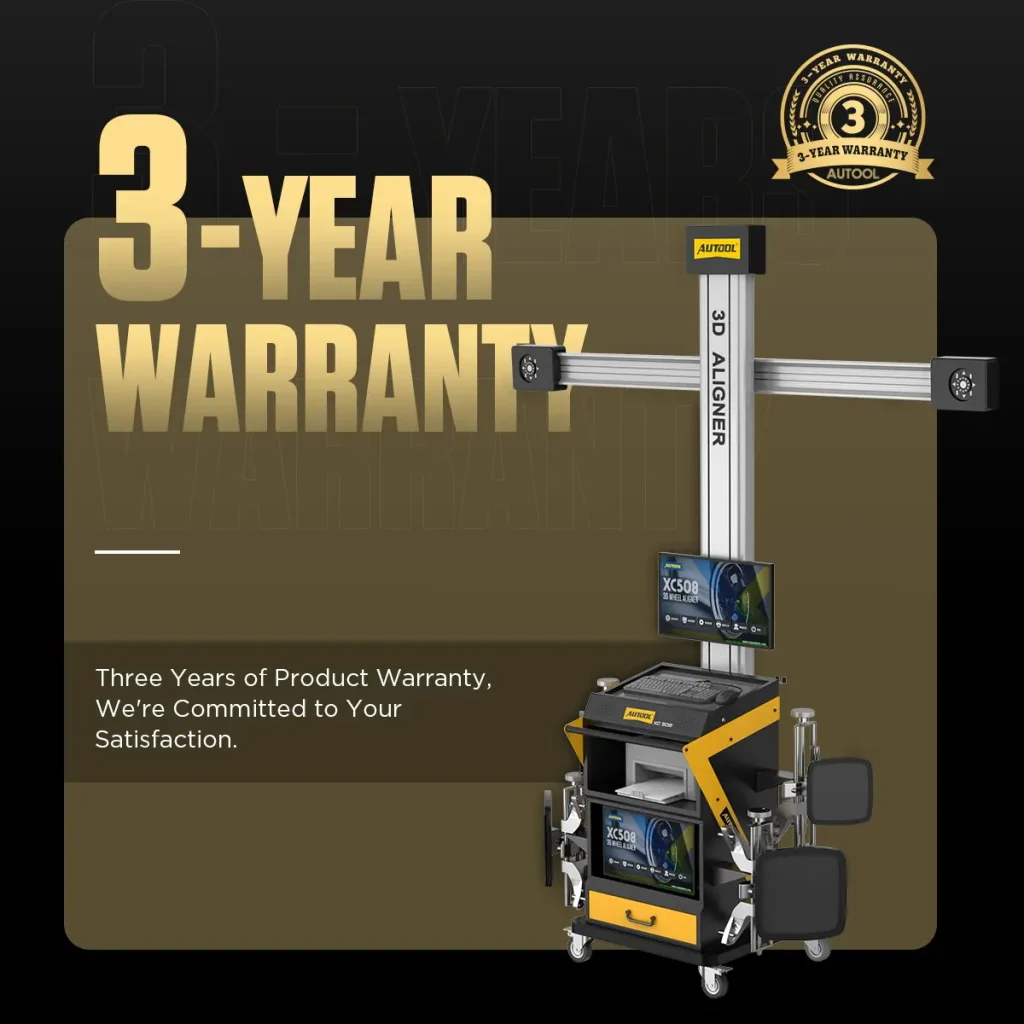
3 Years Warranty Support
Main unit: 3-year warranty. Standard accessories: 1-year warranty. Warranty Policy.
Safety & Compatibility
Check Bay Geometry, Sightlines and Calibration
Use a Qualified Alignment Bay
Install the system on the specified stable, level bay with the required lift, clearance, lighting, power and target sightline.
Inspect Clamps and Targets
Check clamp contact, target condition and mounting security before every measurement.
Validate the Measurement System
Follow installation, movement, impact, repair and scheduled verification or calibration requirements for the cameras and complete system.
Lock Vehicle and Database Identity
Select the exact vehicle, year, load condition, units, and current database before measurement.
Keep Electronic Closeout Separate
After wheel alignment, complete any required SAS, EPAS, or ADAS calibration with the specified equipment.
Verify the Final Result
Repeat the measurement, review the report and complete the specified steering-wheel, offset, road-test or other vehicle checks.
Lift Height Difference
Confirm the permitted left-to-right lift height difference and unit with AUTOOL support when planning installation.
Infrared Light Control
Do not allow strong infrared light to directly illuminate the targets or camera area, because this can affect optical measurement conditions.
Results
Verify Readings Before Vehicle Release
Verify the Result
Review the final live readings, steering-wheel position and printout after all adjustments are complete.
Specifications
XC508 Specifications
| Vehicle Fit & Site Conditions | |
|---|---|
| Light Requirements | Not direct infrared light to the targets |
| Measurable RIM Size | 13″-23″ |
| Lift Platform Height Difference | < 5mm |
| Measurement & Guidance | |
| High-Precision Waterproof and Drop-Proof Targets | Yes |
| Voice Light Operation Guidance | Yes |
| Latest 3D Camera Measurement Technology | Yes |
| Short Distance Runout Compensation | Yes |
| Professional Level | Yes |
| Body Size Measurement System | Yes |
| Review Test Data | Yes |
| Workstation Hardware | |
| Mobile Workstation | Yes |
| Printer Features | Yes |
| Built-In Printer | Yes |
| Smart Elevator Tracking System | Yes |
| Display | 2(32 inch)+(20 inch) |
| Drawer | Yes |
| Software, Database & Languages | |
| Global Very Large Database | Confirm supplied database version and representative vehicle coverage |
| Software Free Updates | Yes |
| Database Free Updates | Yes |
| Multi-Language Support | Chinese, English, Spanish, Russian, German, Farsi, Arabic, Lithuanian, Japanese, French, Thai, Portuguese, Korean |
Manual & Support
Confirm Bay, Software and Hardware Setup
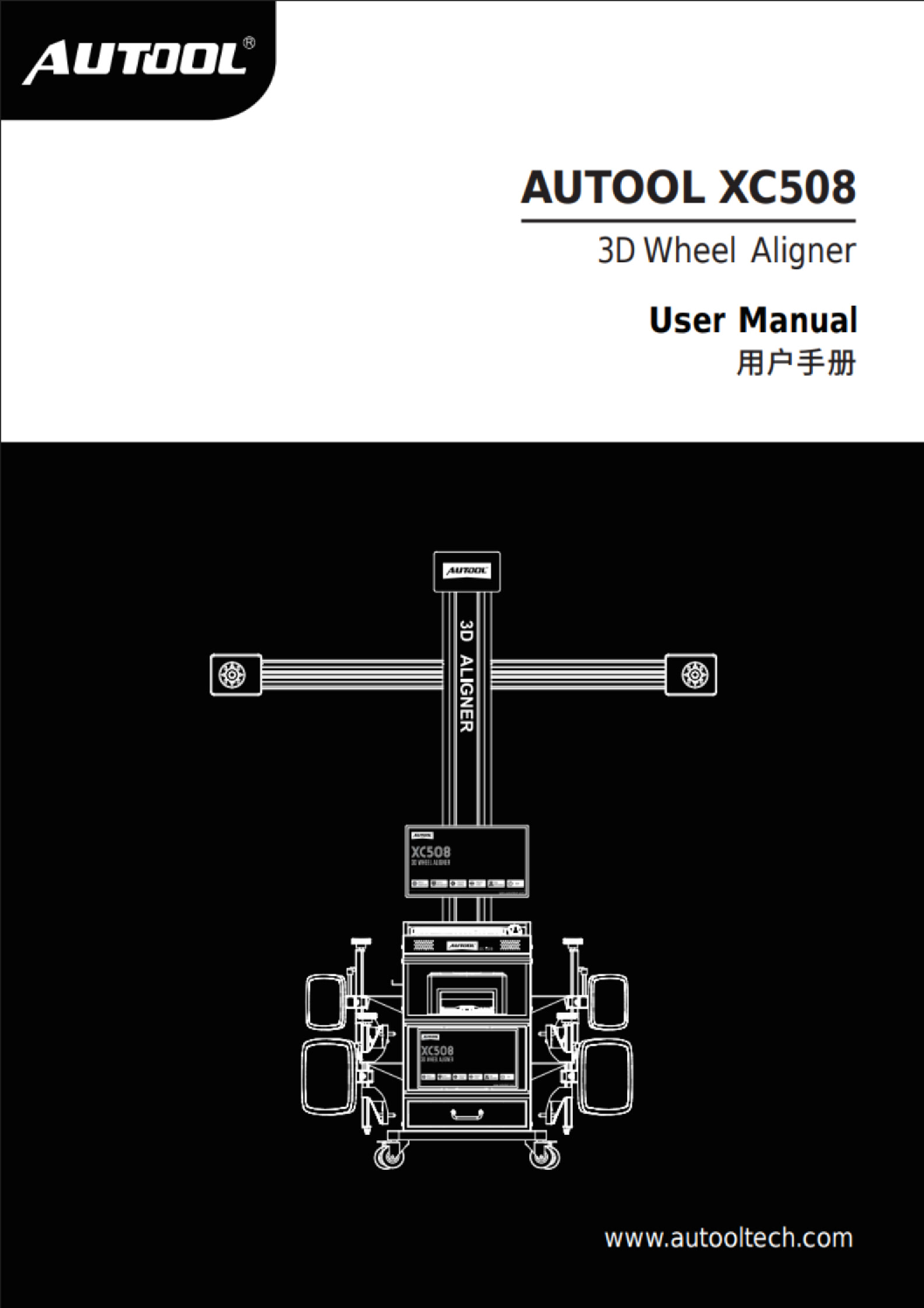
AUTOOL XC508 User Manual
Open the PDF manual for XC508 height tracking, target setup, alignment measurement and built-in reporting, with calibration safety and troubleshooting support.
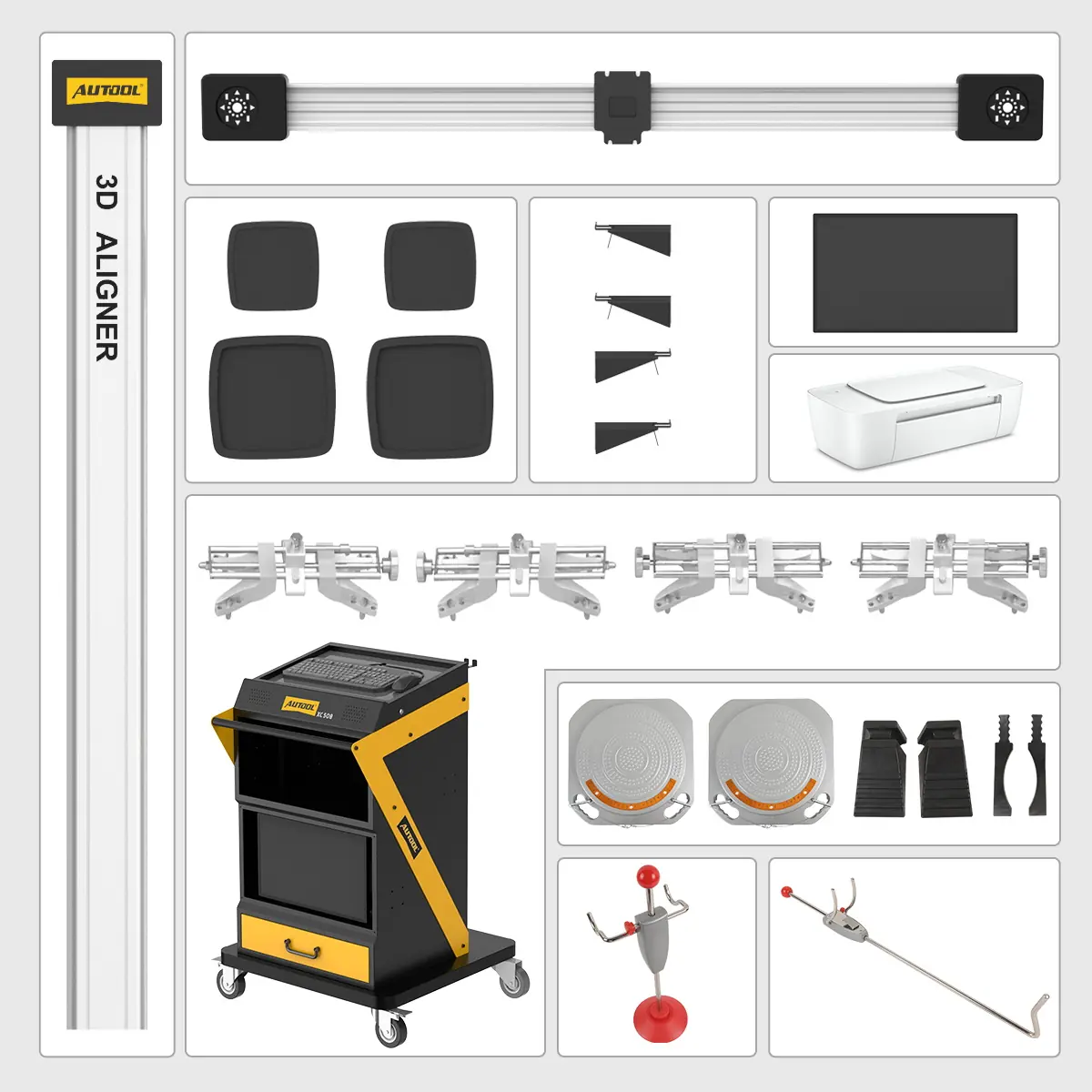
Package Contents
Check the Selected Hardware Package
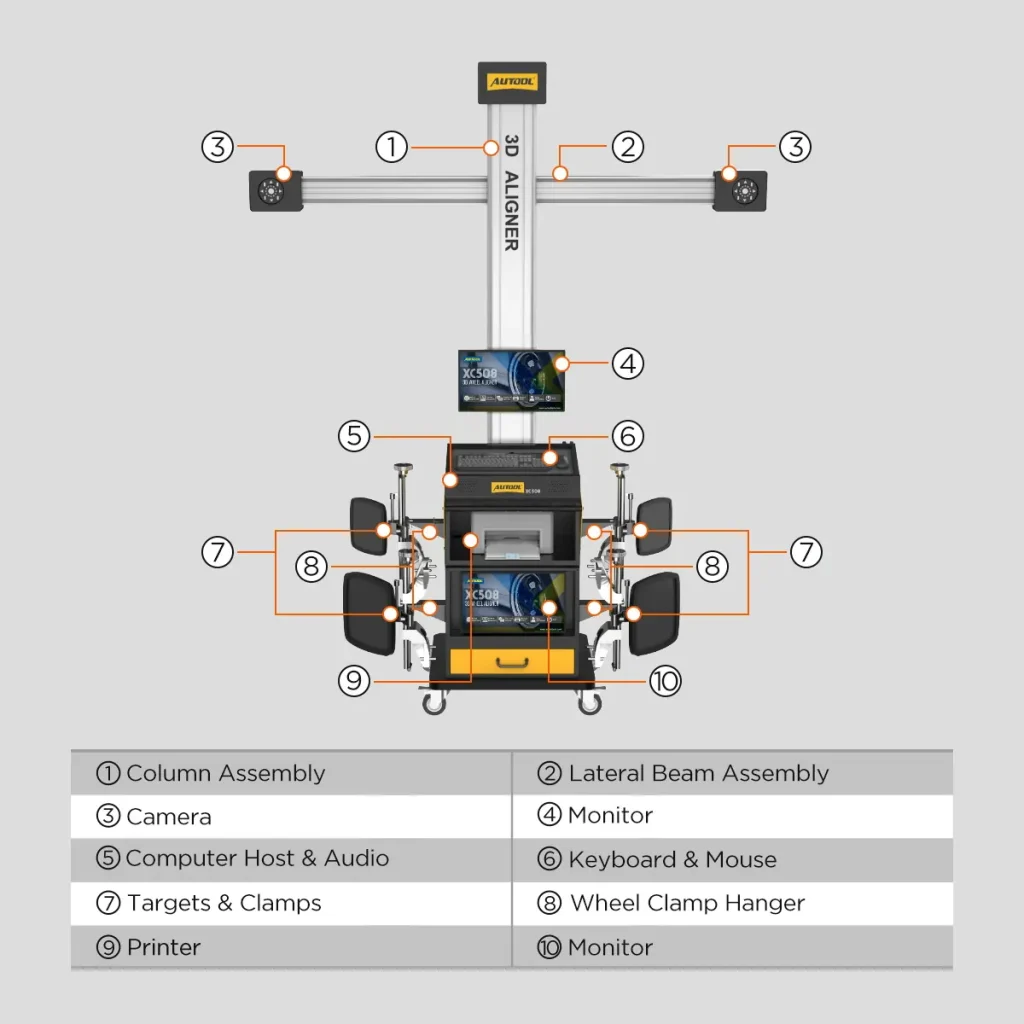
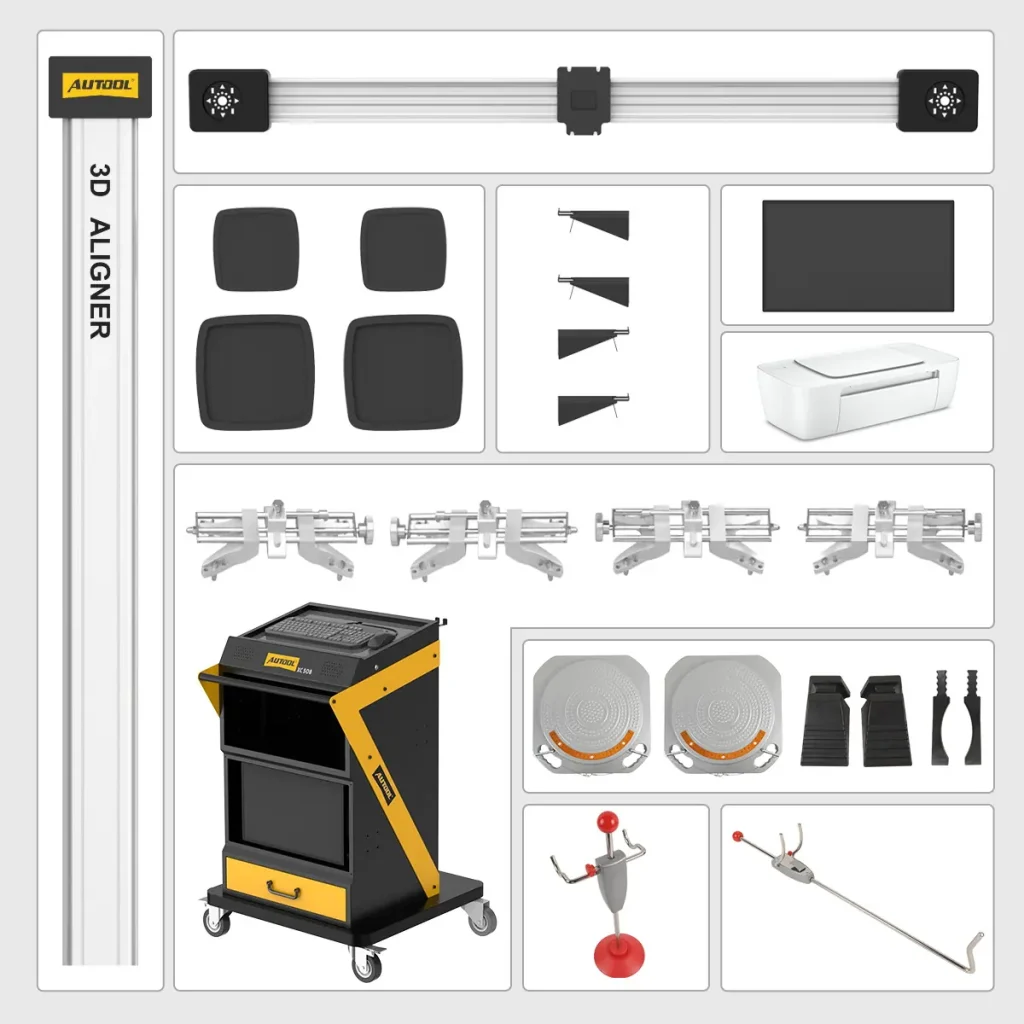
- Main MachineXC508 integrated mobile cabinet with monitor area, computer host area, keyboard area, printer area, drawer, and wheels.
- Camera And Beam AssemblyColumn, lateral beam, camera units, and related structure.
- Targets And ClampsWheel targets, clamps, clamp hangers, and target-related accessories.
- Alignment AccessoriesTurntables, pedals, fixtures, cables, and other accessories.
- Documents And SupportUser manual and online setup support are available for installation, operation, and troubleshooting.
FAQs
Alignment Setup and Coverage Questions
Are 23-Inch And 24-Inch Wheels Supported?
Published XC508 specifications list a 10–23-inch rim range, while fitment guidance also discusses 24-inch wheels for SUVs, off-road vehicles, and light trucks. Confirm the exact clamp, rim range, and vehicle package before ordering for a 24-inch application.
Workshop Floor Is Not Perfectly Level. Will This Affect Calibration?
Use a stable, level alignment bay and verify the lift at every working height. The published platform-difference field is under 5 mm; obtain the installation drawing and acceptance method for the actual bay rather than relying on software compensation for an unsuitable surface.
Do You Have Local Technicians For On-Site Training Or Repair?
Currently, local on-site repair service is not offered. AUTOOL provides online technical support, including detailed video tutorials for installation and proper use. If an issue occurs, support will respond online. Main unit: 3-year warranty. Standard accessories: 1-year warranty. Warranty Policy. The wheel alignment machine is calibrated before leaving the factory, so after delivery you can install and use it directly according to the setup guidance.
Before ordering, confirm local installation, calibration or verification, operator training, and service support for the XC508.
Does The Order Of Vehicle Adjustment Matter?
Yes. Start the proper wheel alignment at the rear. Establish a properly aligned geometric centerline from the rear and move forward before making other wheel adjustments. This is known as thrust adjustment. Incorrect thrust can affect other measurements and lead to an improperly aligned vehicle.
Follow the selected vehicle procedure and the alignment software sequence. Establish the vehicle’s thrust reference, inspect damaged or non-adjustable parts and remeasure after permitted adjustments; any SAS, EPAS or ADAS closeout remains a separate vehicle procedure.
How Do Caster, Camber, And Toe Affect Tire Wear?
Caster may not directly cause tire wear, but it affects driving feel. Incorrect camber can cause premature wear on the inside or outside of the tire, usually as a slower wear process. Incorrect toe may show only slight symptoms such as pulling or wandering, but tire wear can occur quickly. A comprehensive alignment helps set caster, camber, and toe to factory-recommended specifications for even tire wear.
What Should Be The Distance Between The XC508 And The Car?
Depending on the vehicle model, the distance between the wheel aligner and the measuring vehicle can be adjusted to 1700mm–2500mm. This is different from the camera-to-turntable measurement distance described in the feature section.
What Should I Check If the Computer Does Not Start?
- Check the power supply of the computer.
- Check whether the power button on both the computer host and monitor has been pressed, and check whether any indicator LED is flashing.
- Check the brightness and contrast of the monitor.
What If the Computer Does Not Reach the Desktop?
- The computer boot file may be missing.
- There may be a BIOS error.
- There may be a hardware failure.
- If the issue remains after basic checks, contact AUTOOL support for guided diagnosis.
Mouse / Keyboard Not Functional
- The mouse or keyboard connection to the computer host may be faulty.
- The mouse or keyboard may not be compatible with the computer host.
- The mouse or keyboard itself may be faulty.
What If the Printer Does Not Work?
- Check the printer power supply, signal cable connection to the computer host, and whether the printer is in linked mode.
- Check the installation and setting of the printer driver.
- Check whether the computer has a virus.
Can Not Run Wheel Aligner Software
Contact support for software file, database update, or registry troubleshooting guidance before attempting advanced changes.
Use the software package listed for the exact XC model and installed version. Back up the current installation, confirm representative vehicle coverage and follow AUTOOL update instructions before replacing database or program files.
Computer Can Not Boot
Can Not Enter Windows 7 Desktop
If the issue remains after basic checks, contact AUTOOL support for guided diagnosis.