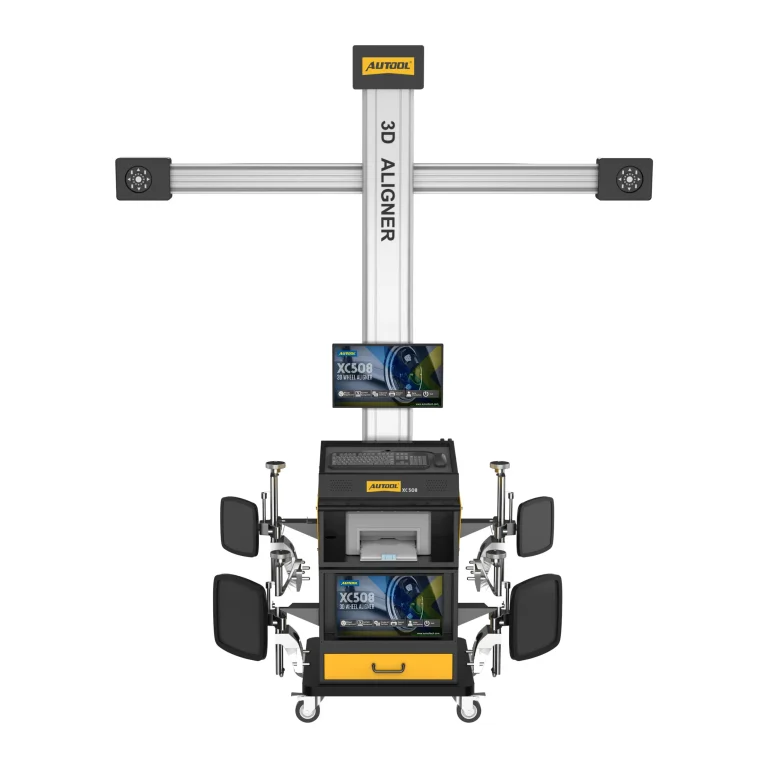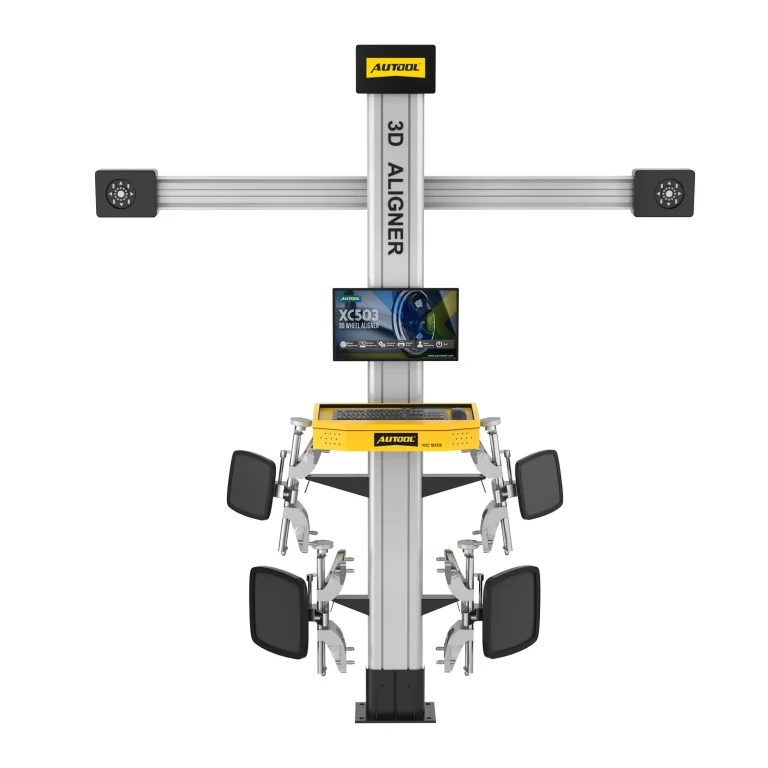
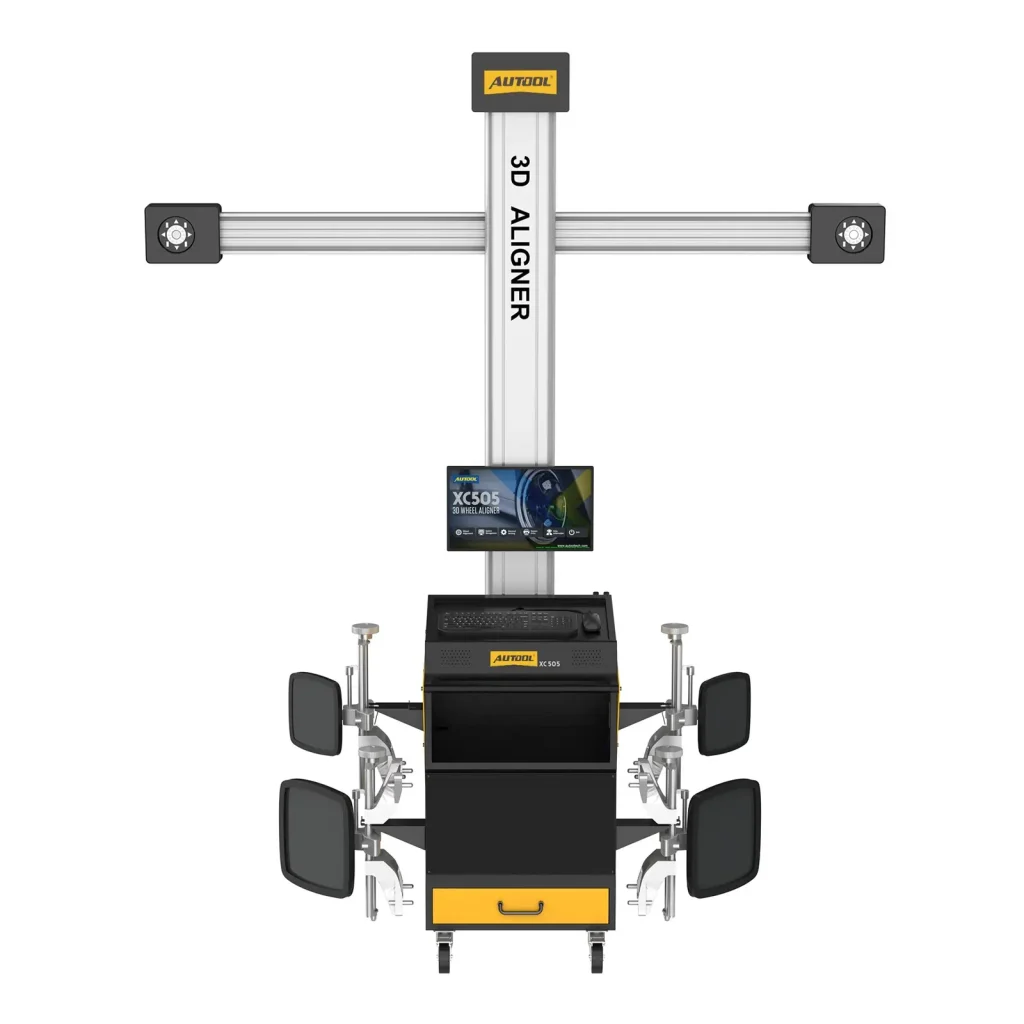
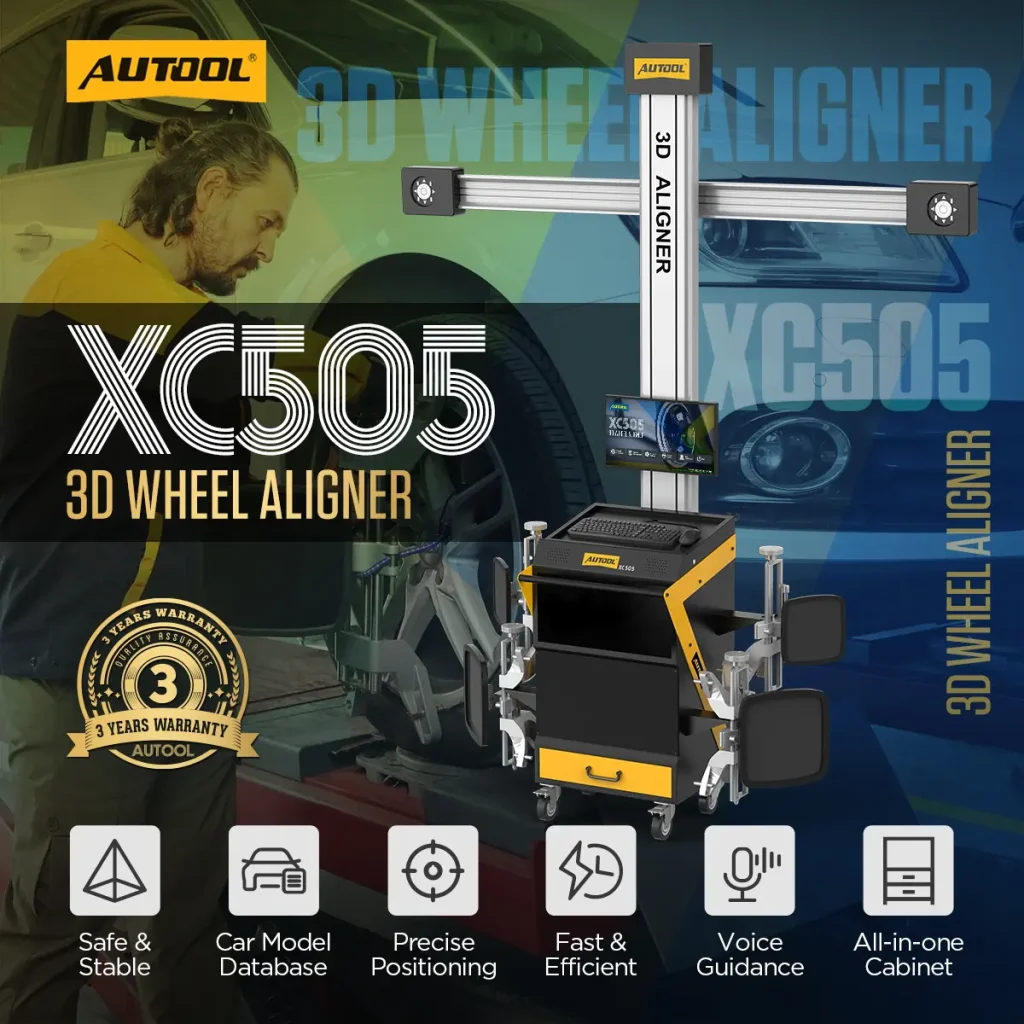

AUTOOL XC505 · Mobile-Workstation 3D Wheel Aligner
Move the Alignment Workstation Around the Bay
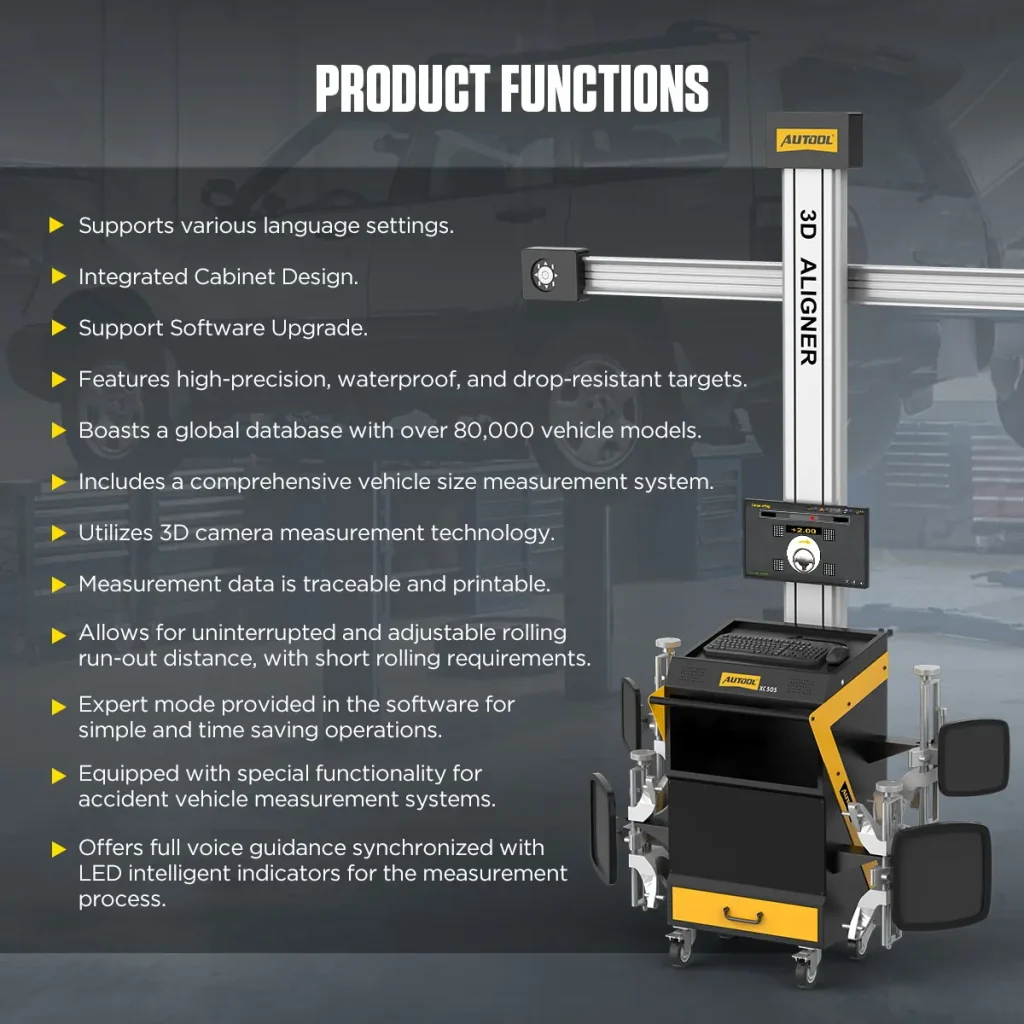
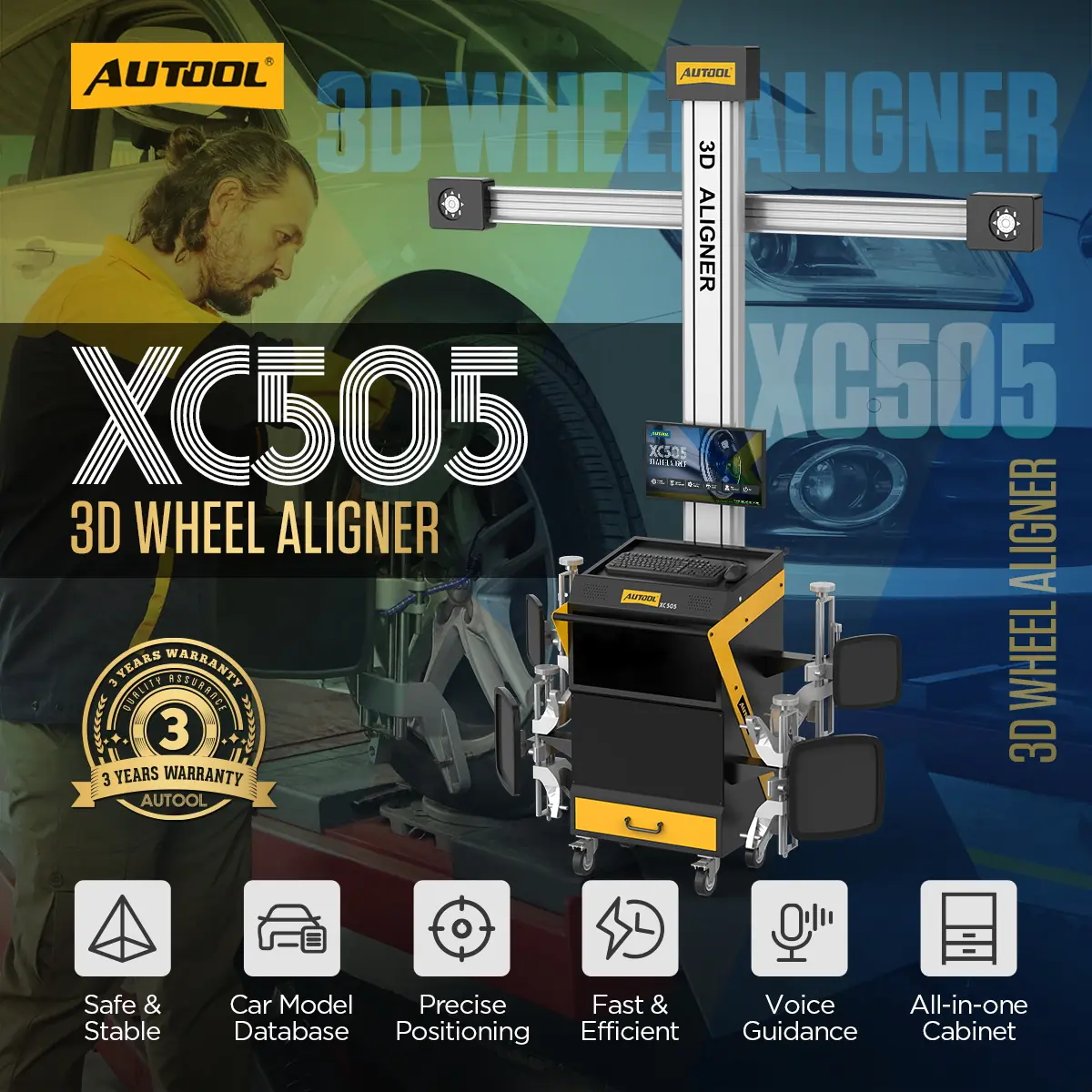
Guide alignment service from vehicle selection through measurement and reporting with the AUTOOL XC505. Its 3D camera system measures wheel angles and body dimensions against vehicle data, while voice prompts and LED indicators guide short rolling compensation and measurement. Technicians can review historical results and print reports with an external printer setup. A mobile workstation with drawer storage keeps the alignment equipment organized for tire shops and service centers.
- Mobile Workstation + Drawer
- 3D Camera Measurement
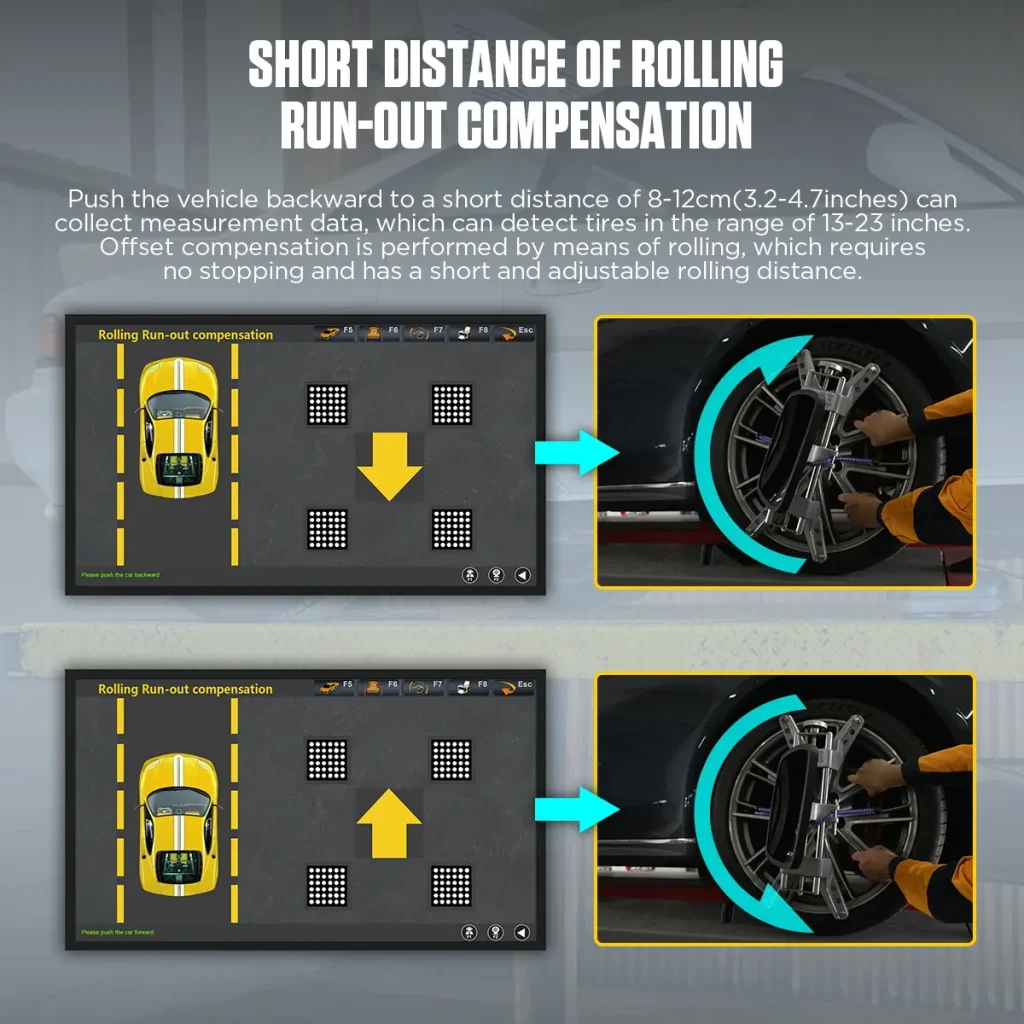
- 8–12 cm Rolling Compensation
- ±0.01° Listed Toe / Camber Precision
- Report History + External Printing
Key Features
Combine 3D Wheel Alignment with Mobile Workstation Storage
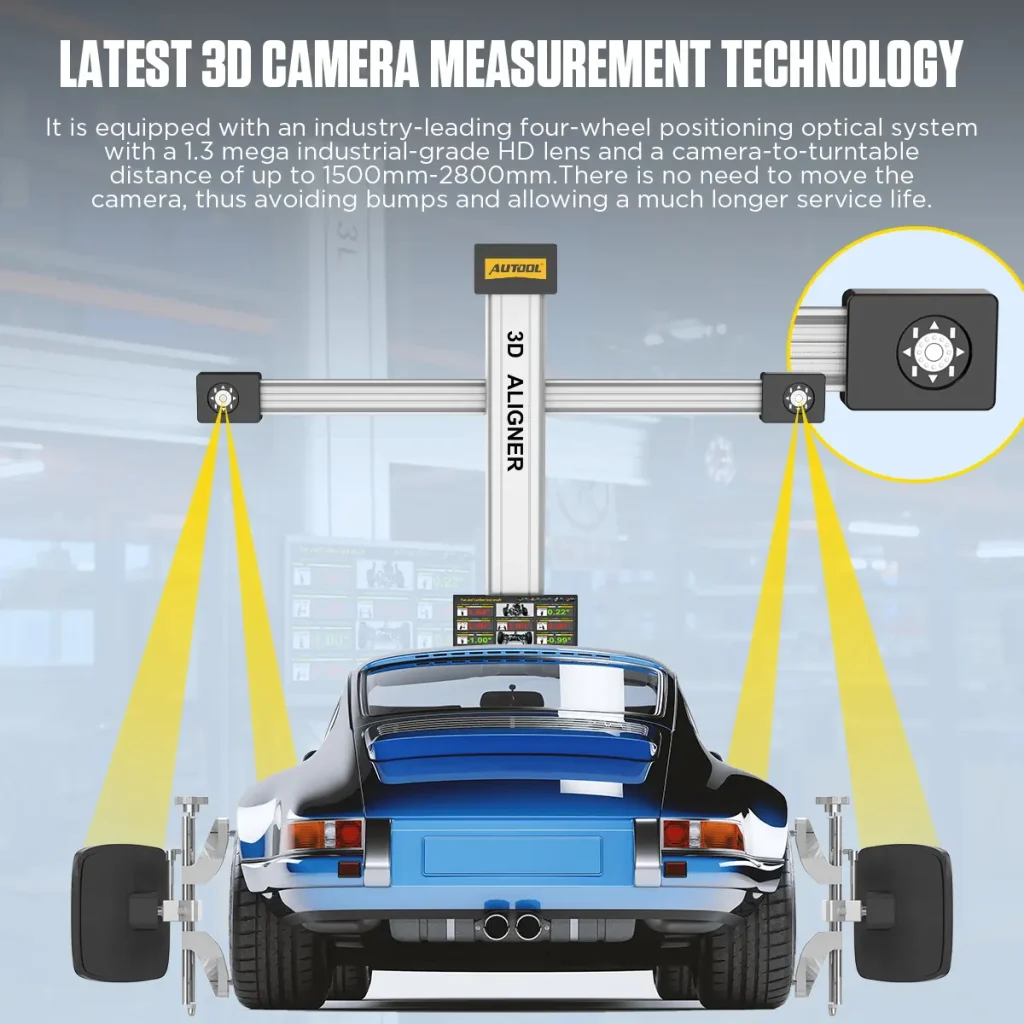
Latest 3D Camera Measurement
The optical measurement system uses a 1.3MP industrial-grade HD lens with a camera-to-turntable distance of about 1500-2800mm. The camera does not need to be moved during normal use.
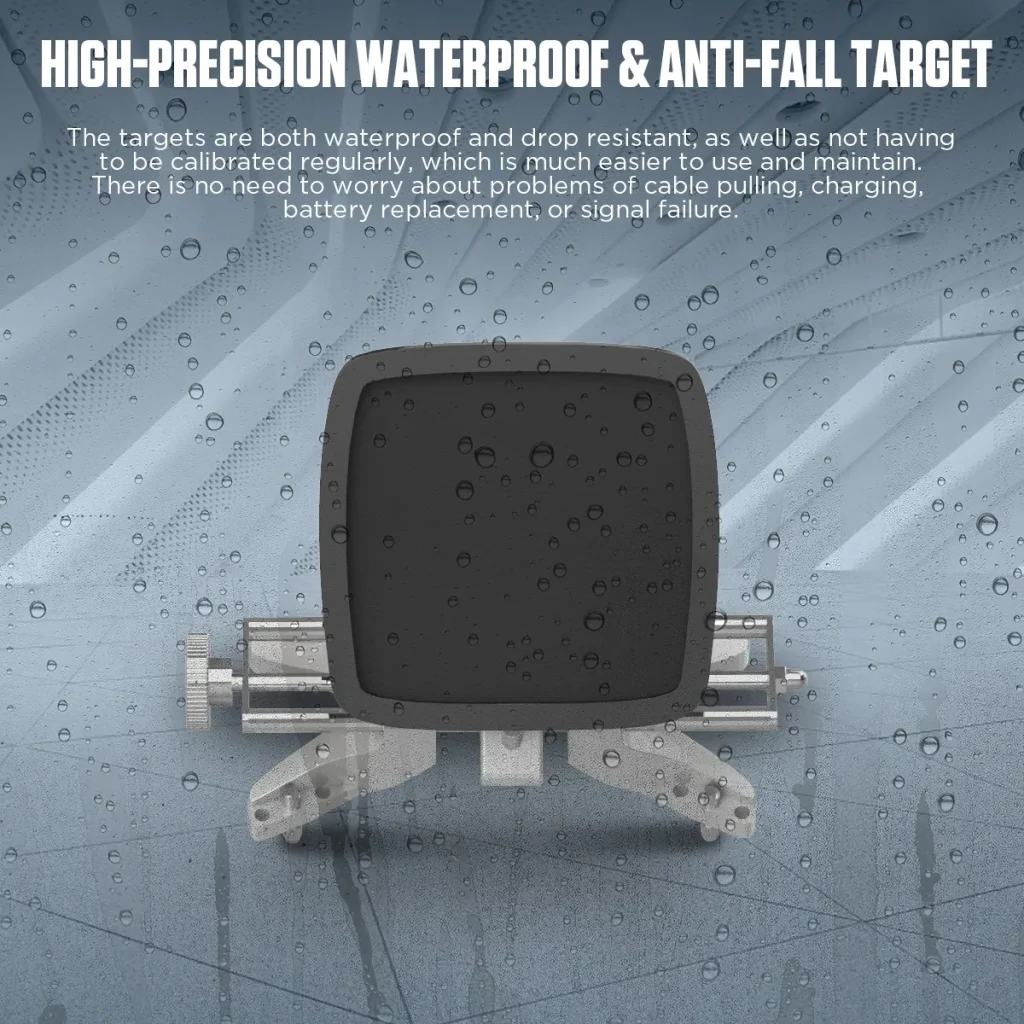
Waterproof & Drop-Resistant Wheel Alignment Targets
The targets are designed for high precision, repeatability, and reliability. They do not require cable dragging, charging, battery replacement, or regular signal-device maintenance.
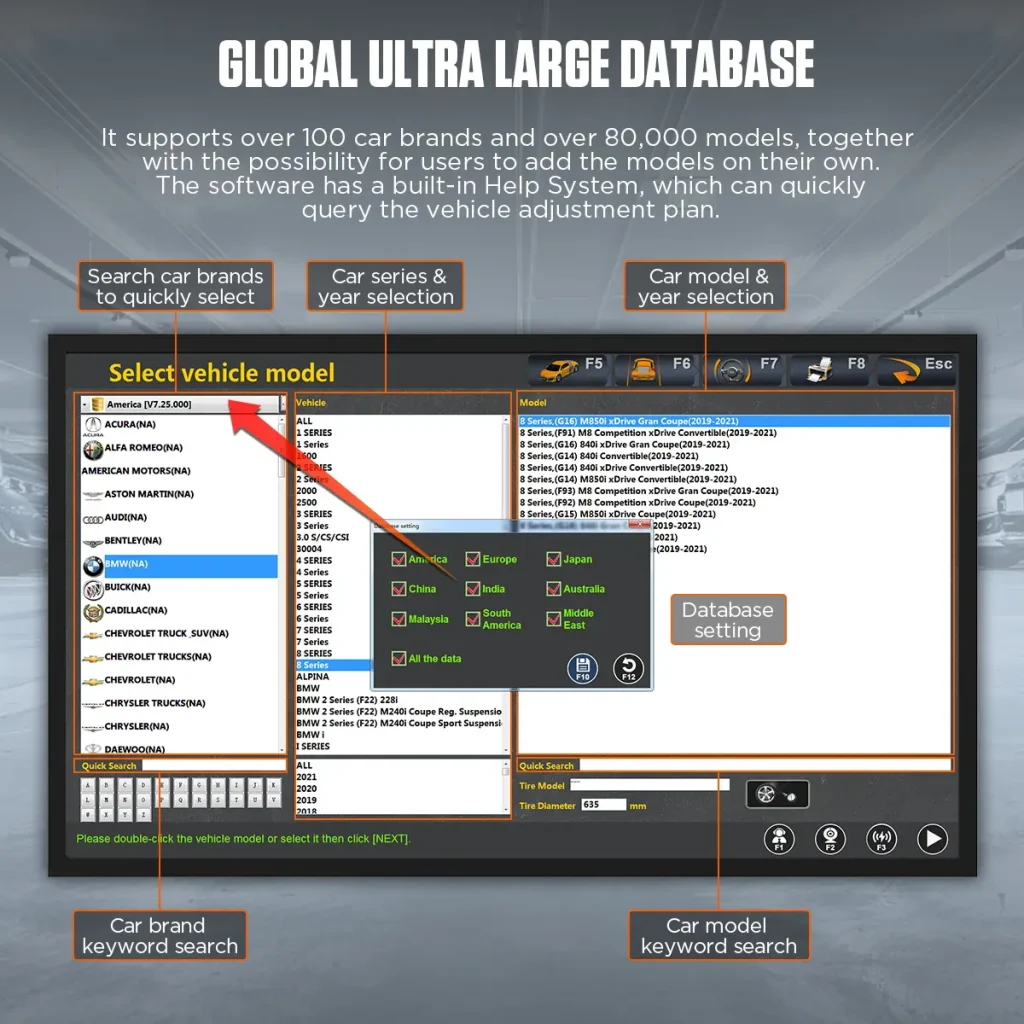
Global Vehicle Database
Search by brand, series, model, and year to select vehicle data, add custom models, and use the built-in help system to find vehicle adjustment plans.
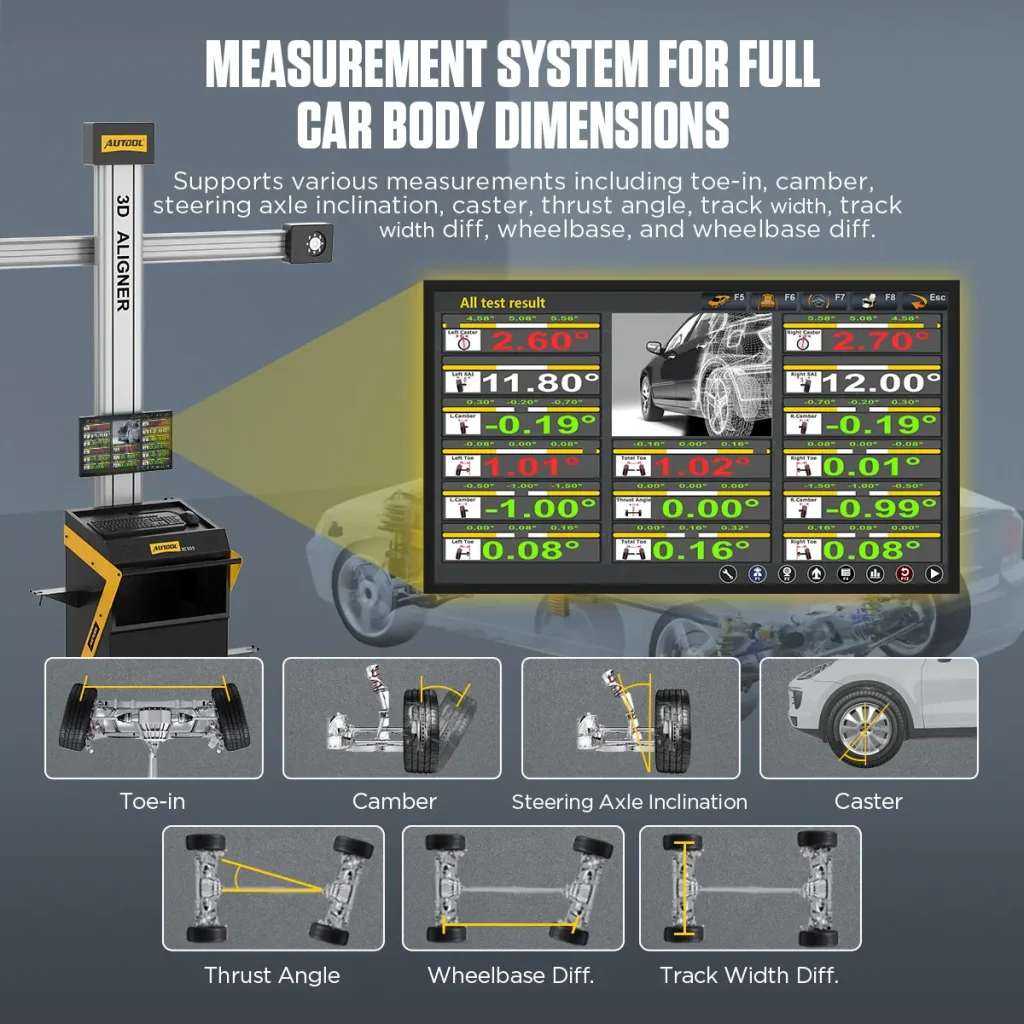
Wheel Angles + Body Dimensions
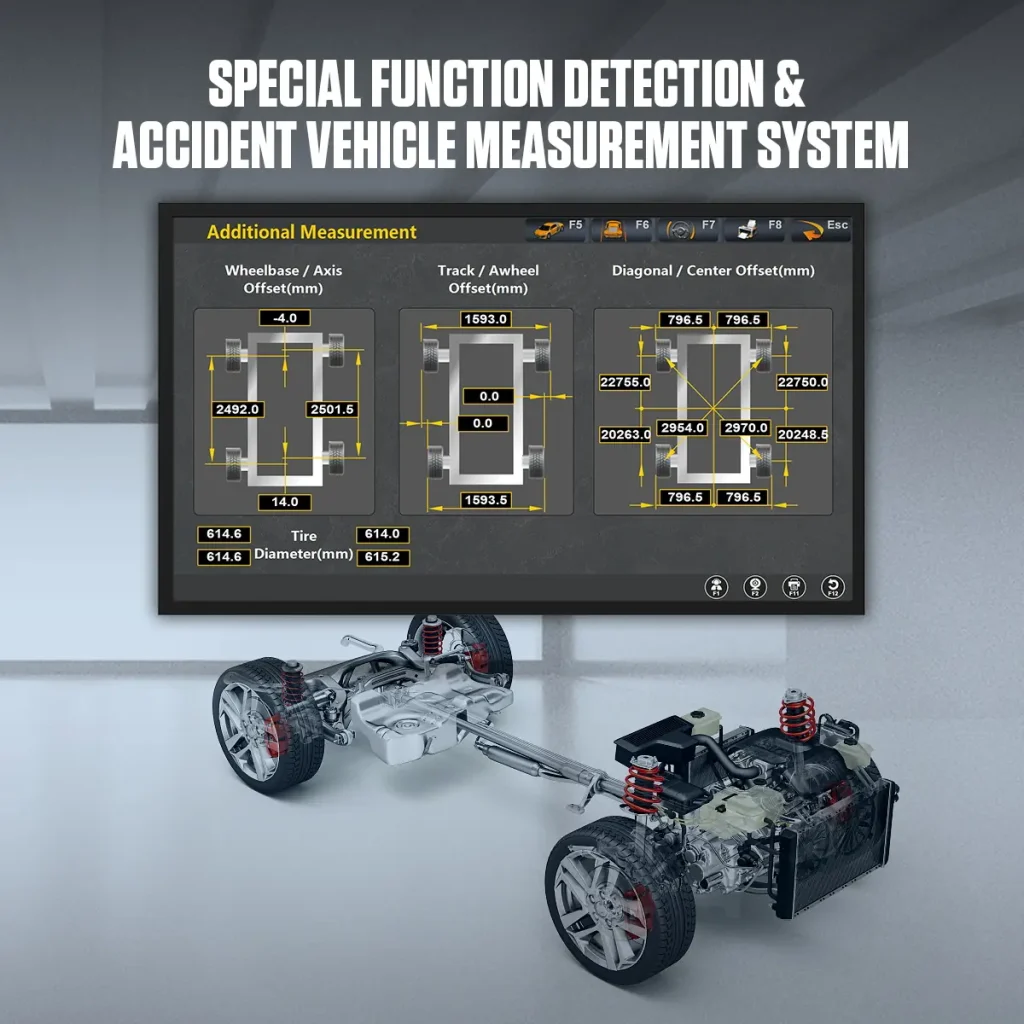
Supports toe-in, camber, steering axle inclination, caster, thrust angle, wheelbase, wheelbase difference, track width, track width difference, and diagonal measurement.
Short Rolling Run-Out Compensation
Push the vehicle backward or forward 8-12cm so XC505 can collect measurement data and perform rolling run-out compensation without stopping.
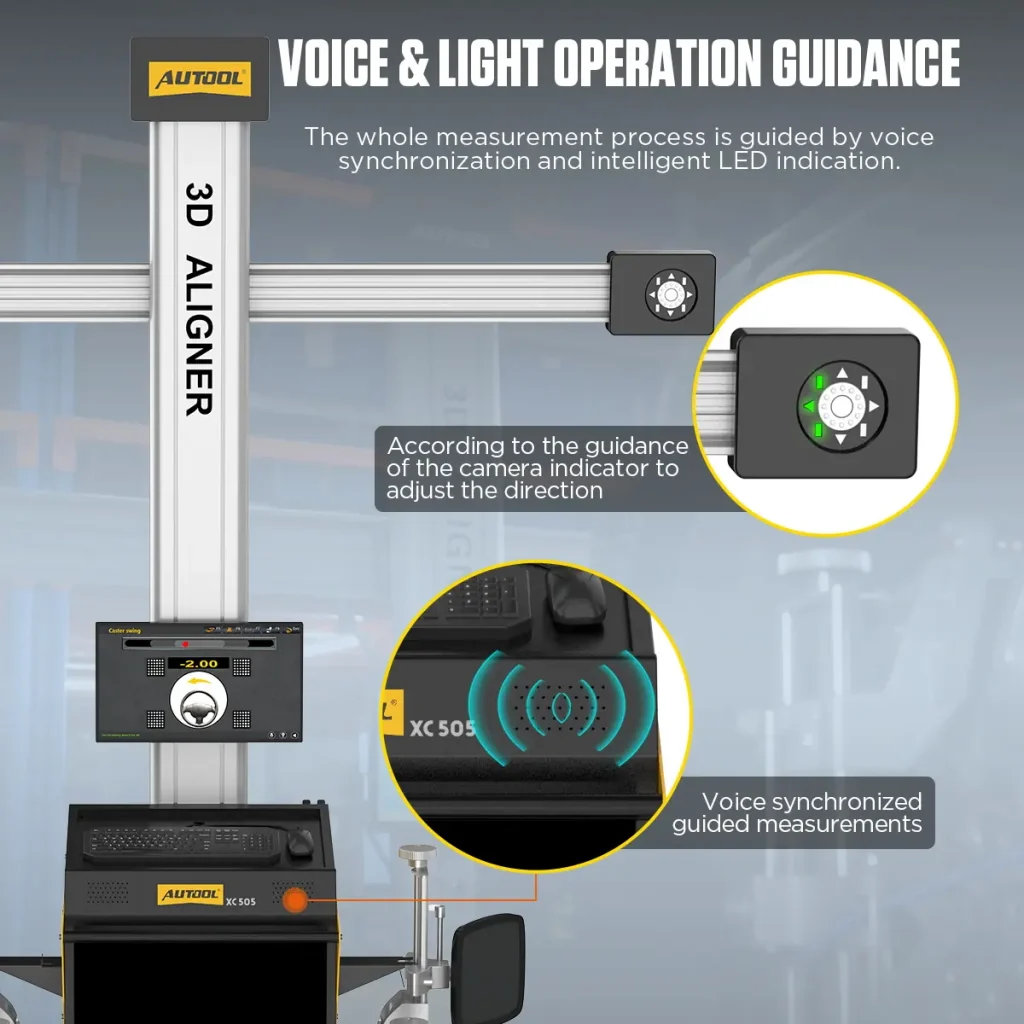
Voice & Light Guidance
The measurement process is guided by voice synchronization and intelligent LED indicators, helping technicians follow direction prompts during setup and measurement.
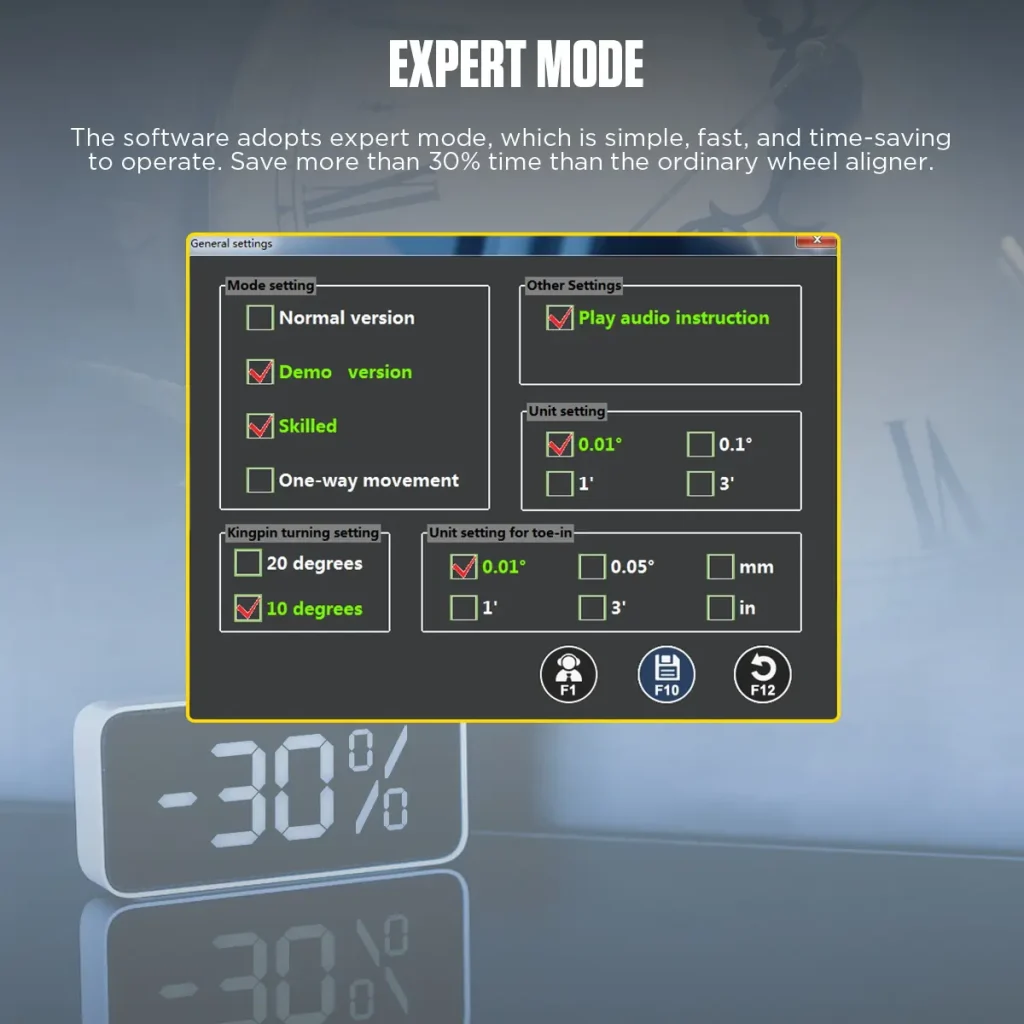
Expert Mode
Expert mode is designed for simple and time-saving operation. It can improve workflow efficiency when used by trained technicians under proper operating conditions.
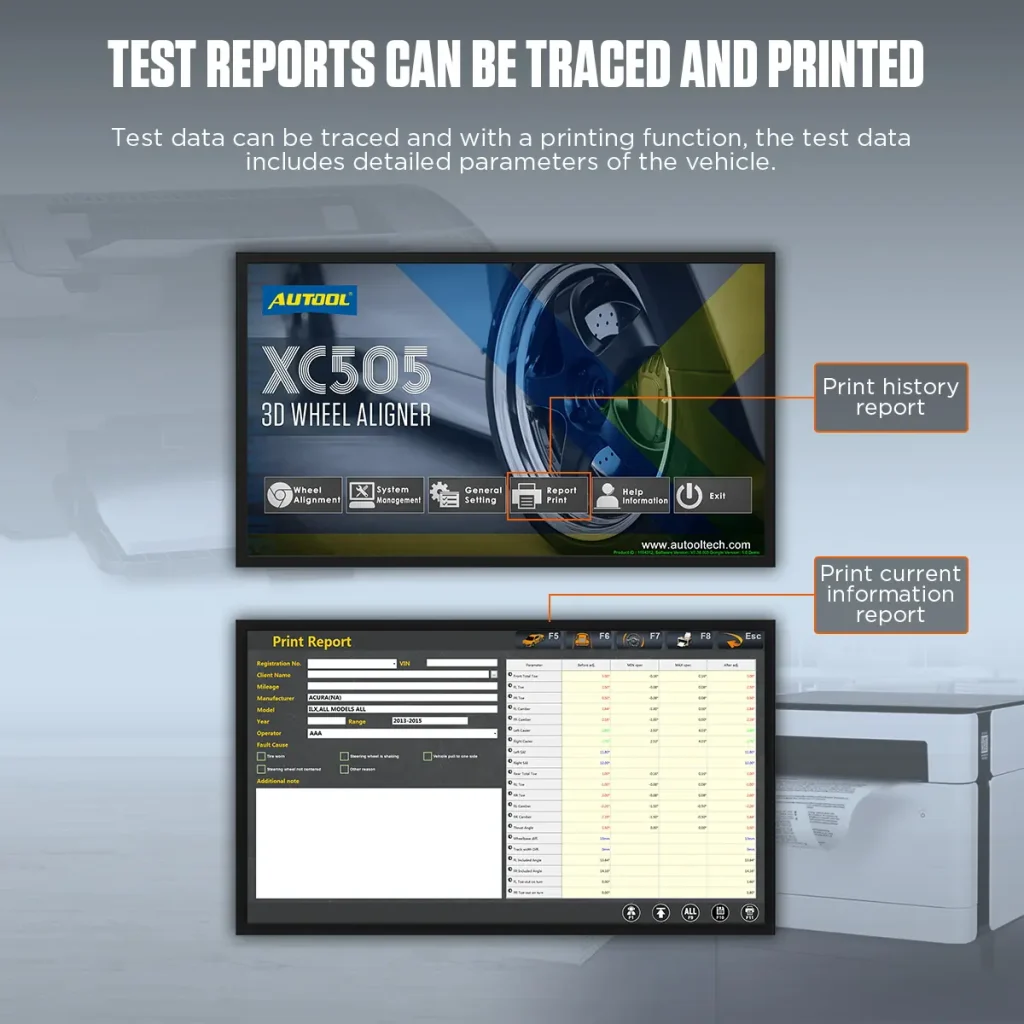
Reports Can Be Traced And Printed
Measurement data can be reviewed, traced, and printed. XC505 supports printer features, but the comparison chart shows the built-in printer is reserved for XC508.
Multi-Language Support
Supports Chinese, English, Spanish, Russian, German, Farsi, Arabic, Lithuanian, Japanese, French, Thai, Portuguese, and Korean.
Plan The Alignment Bay
The column, display, cabinet, cameras, and targets require the specified distance and alignment to the lift. Confirm workshop space and installation conditions before setup.
Technician Skill Level
XC505 supports voice guidance and LED operation guidance to help technicians complete measurements more efficiently and reduce operation difficulty.
Applications
Wheel alignment service can become a repeatable income source for tire shops and repair centers, improving customer satisfaction and return visits.
Vehicle Database Coverage
The listed vehicle database covers more than 80,000 models; verify the required make, model, year, and regional software package before service.
Toe and Camber Precision
Toe and camber precision: ±0.01°.
3 Years Warranty Support
Main unit: 3-year warranty. Standard accessories: 1-year warranty. Warranty Policy.
Safety & Compatibility
Check Bay Geometry, Sightlines and Calibration
Use a Qualified Alignment Bay
Install the system on the specified stable, level bay with the required lift, clearance, lighting, power and target sightline.
Inspect Clamps and Targets
Check clamp contact, target condition and mounting security before every measurement.
Validate the Measurement System
Follow installation, movement, impact, repair and scheduled verification or calibration requirements for the cameras and complete system.
Lock Vehicle and Database Identity
Select the exact vehicle, year, load condition, units and current database version before measurement, then apply the vehicle procedure.
Keep Electronic Closeout Separate
Wheel geometry measurement does not itself complete SAS, EPAS or ADAS calibration; follow the vehicle procedure with the required equipment.
Verify the Final Result
Repeat the measurement, review the report and complete the specified steering-wheel, offset, road-test or other vehicle checks.
Vehicle Service Mix
Consider the vehicles you usually service, such as consumer cars, SUVs, off-road vehicles, light trucks, or fleet vehicles, before choosing an alignment machine.
Workshop Purchase Fit
Modern vehicles need regular wheel alignment to reduce tire and suspension wear, maintain safe driving, and help repair shops build a sustainable repeat service. Before choosing XC505, confirm your workshop space, vehicle type, technician workflow, and expected return on investment.
Results
Verify Wheel Alignment Readings Before Vehicle Release
Verify the Result
Review the final live readings, steering-wheel position and printout after all adjustments are complete.
Specifications
XC505 Specifications
| Vehicle Fit & Site Conditions | |
|---|---|
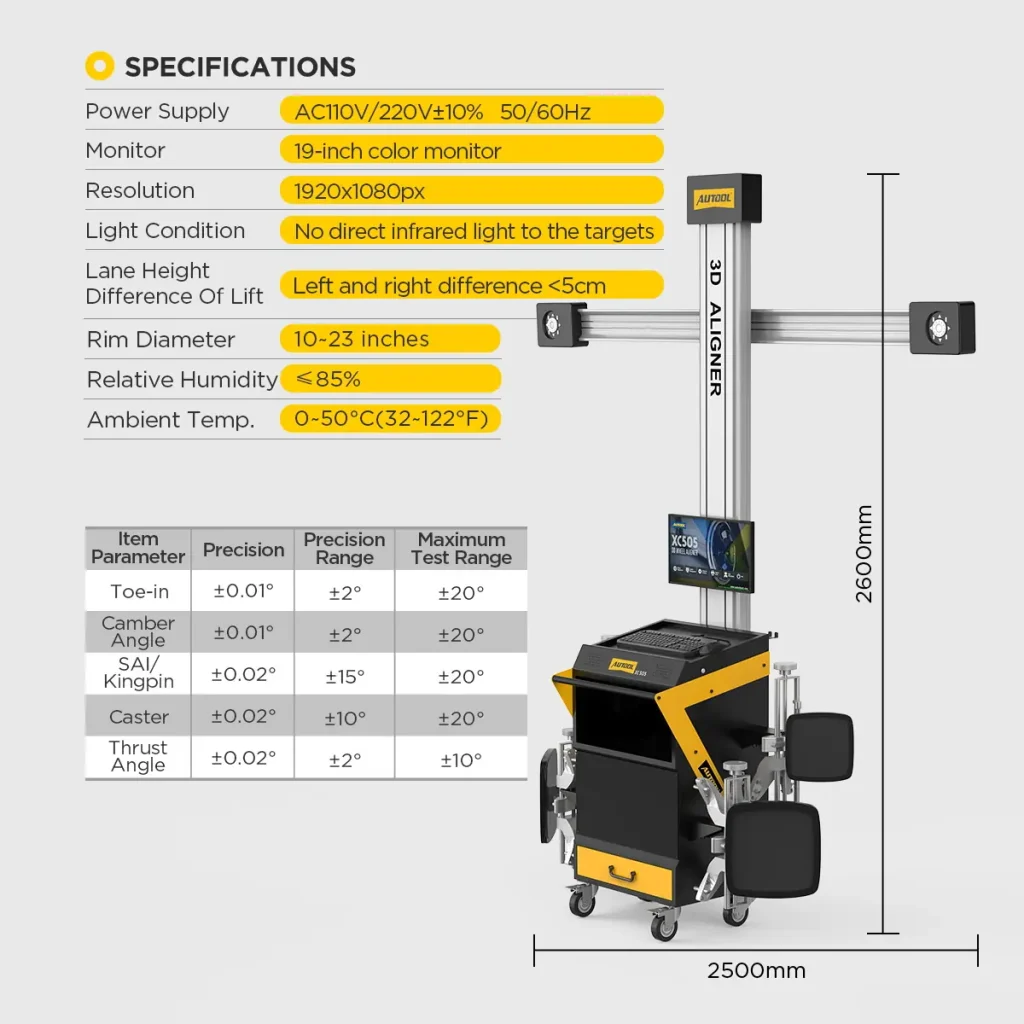
| Light Requirements | Not direct infrared light to the targets |
| Measurable RIM Size | 13″-23″ |
| Lift Platform Height Difference | < 5mm |
| Measurement & Guidance | |
| High-Precision, Waterproof and Drop-Proof Targets | Yes |
| Voice Light Operation Guidance | Yes |
| Latest 3D Camera Measurement Technology | Yes |
| Short Distance Runout Compensation | Yes |
| Professional Level | Yes |
| Body Size Measurement System | Yes |
| Review Test Data | Yes |
| Workstation Hardware | |
| Mobile Workstation | Yes |
| Printer Features | Yes |
| Display | 1(32 inch) |
| Drawer | Yes |
| Software, Database & Languages | |
| Global Very Large Database | Confirm supplied database version and representative vehicle coverage |
| Software Free Updates | Yes |
| Database Free Updates | Yes |
| Multi-Language Support | Chinese, English, Spanish, Russian, German, Farsi, Arabic, Lithuanian, Japanese, French, Thai, Portuguese, Korean |
Manual & Support
Confirm Bay, Software and Hardware Setup
AUTOOL XC505 User Manual
Open the PDF manual for XC505 workstation setup, rolling compensation, alignment measurement and report printing, with calibration safety and troubleshooting support.
Package Contents
Check the Selected Hardware Package
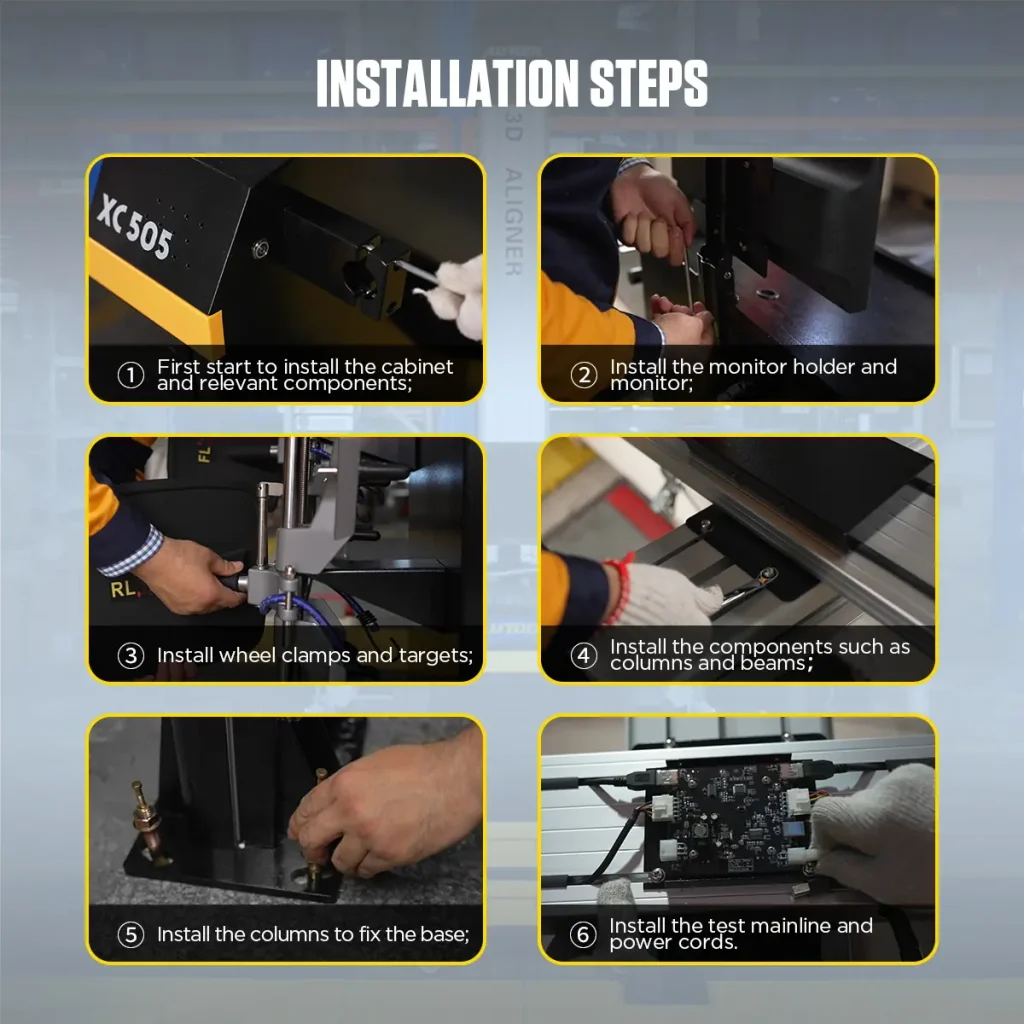
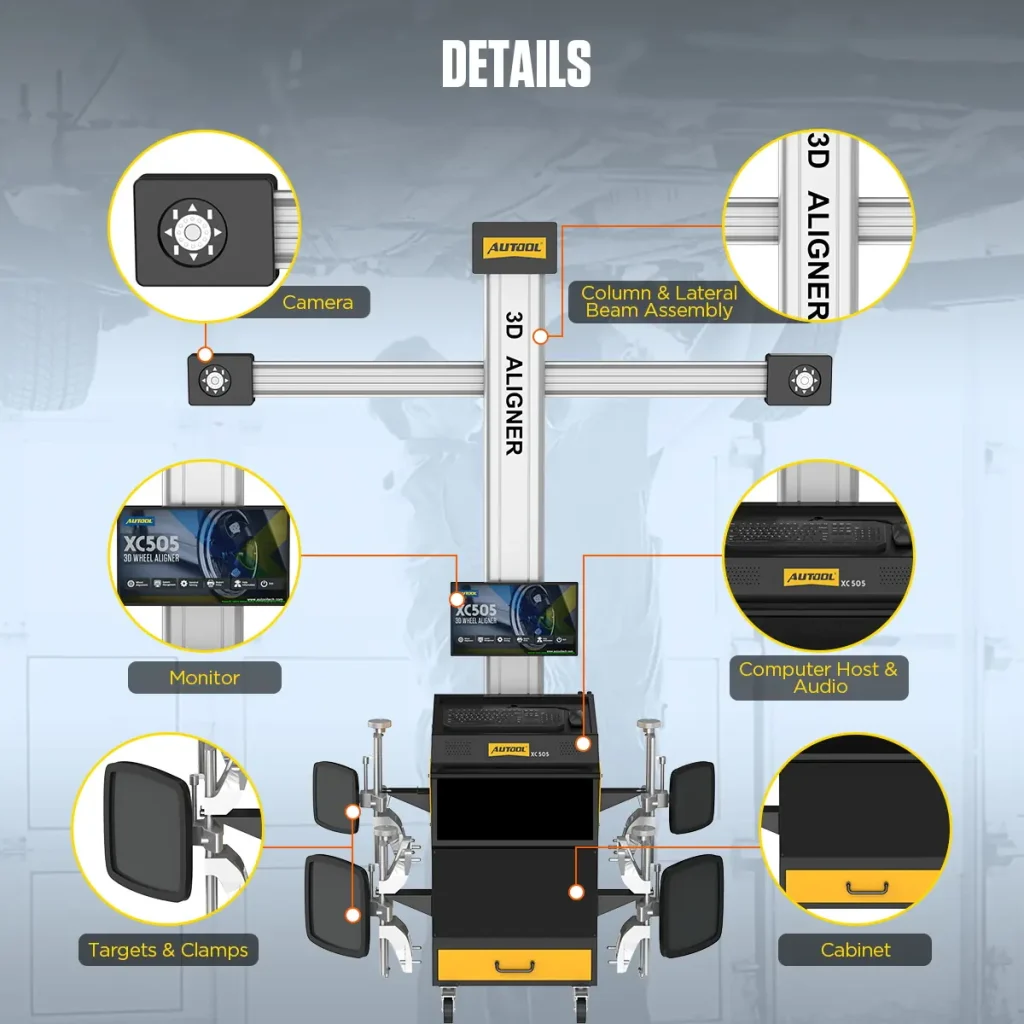
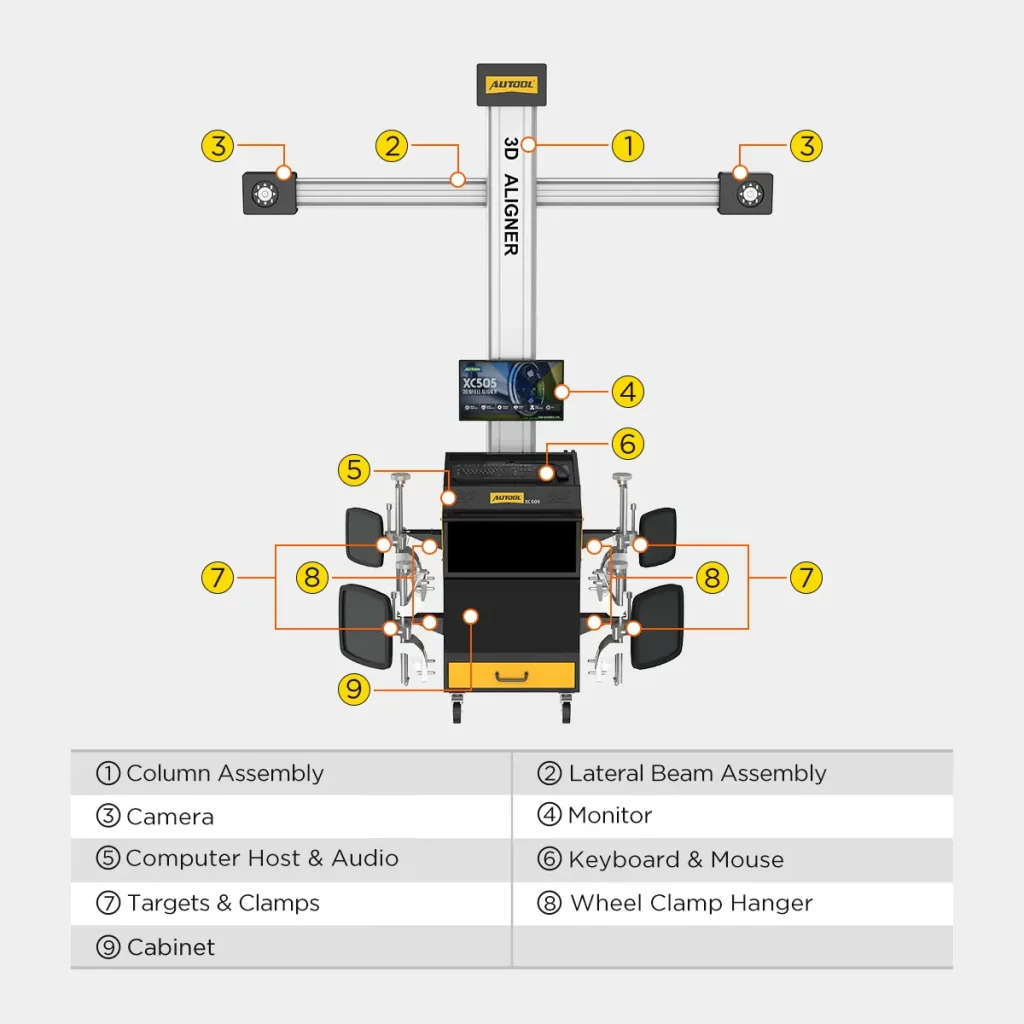
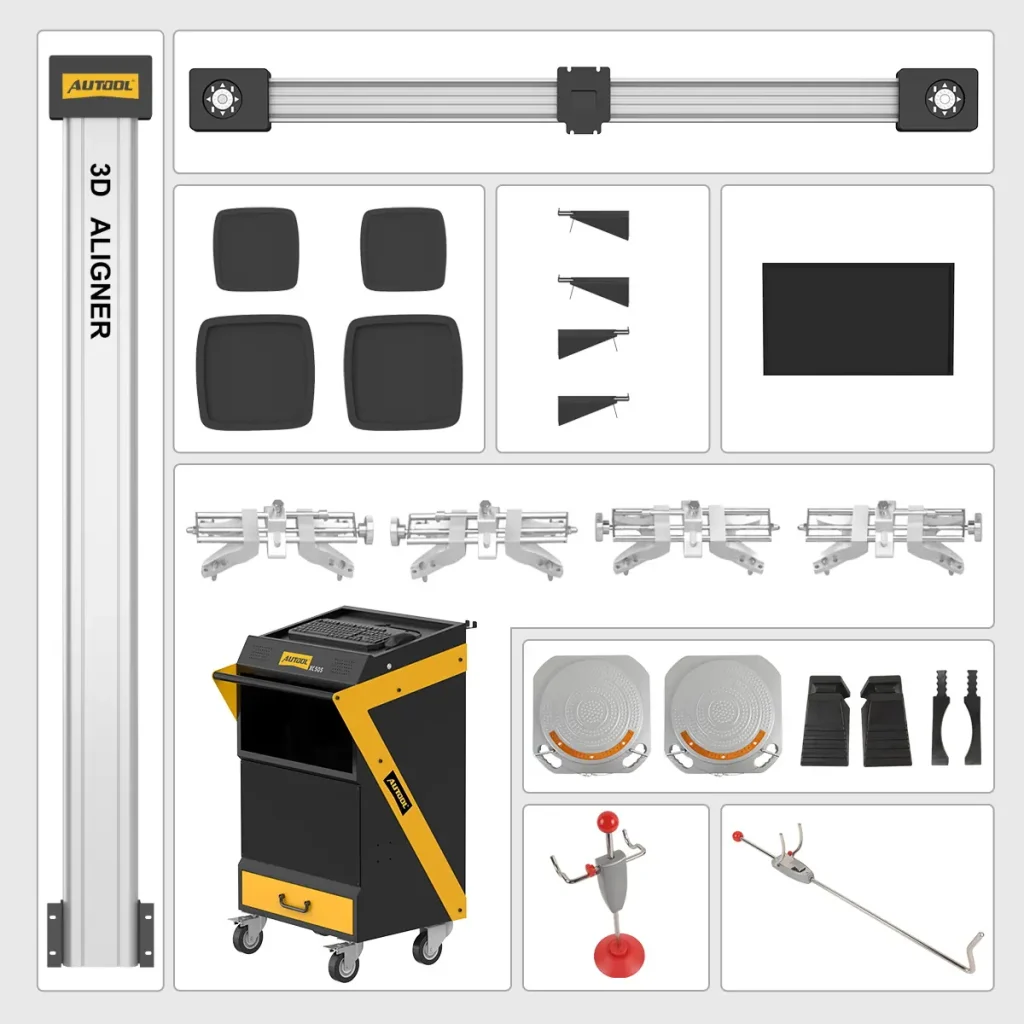
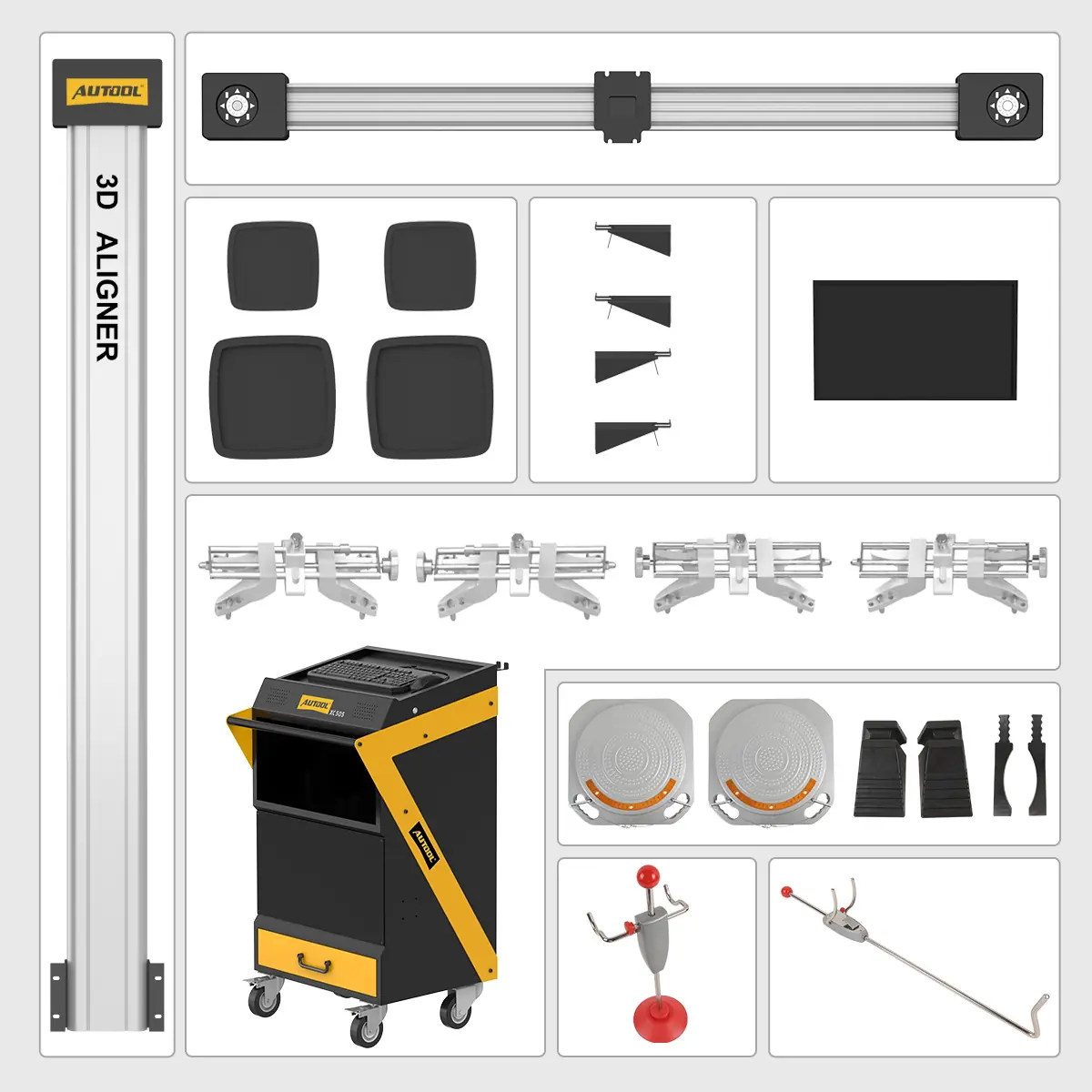
- Main StructureColumn assembly, lateral beam assembly, and mobile cabinet.
- Measurement SystemCamera modules, monitor, computer host, audio, keyboard, and mouse.
- Targets & ClampsTargets, wheel clamps, and wheel clamp hangers.
- Alignment AccessoriesTurntables, wheel chocks, steering wheel holder / brake pedal related tools, and accessories.
- DocumentationManual and software resources are available in the Download section.
FAQs
Alignment Setup and Coverage Questions
What Should Be The Distance Between The XC505 Wheel Aligner And The Car?
Depending on the vehicle model, the distance between the XC505 wheel aligner and the measuring vehicle can be adjusted to about 2m-2.2m. Keep the vehicle and aligner positioned according to the software prompts and the workshop setup guide.
Are 23-Inch And 24-Inch Wheels Supported For Calibration?
Published XC505 fitment references include 10–23, 13–23, and 13–23.5-inch ranges, while guidance also discusses 24-inch wheels. Confirm the exact clamp, rim range, and vehicle package before ordering for a 24-inch SUV, off-road, or light-truck application.
My Workshop Floor Is Not Perfectly Level. Will This Affect Calibration?
Use a stable, level alignment bay and verify the lift at every working height. The published platform-difference field is under 5 mm; obtain the installation drawing and acceptance method for the actual bay rather than relying on software compensation for an unsuitable surface.
Do You Have Local Technicians For On-Site Training Or Repair In My Country?
Currently, local on-site repair service is not available in every country. AUTOOL provides online technical support, installation and usage video tutorials, responsive assistance. Main unit: 3-year warranty. Standard accessories: 1-year warranty. Warranty Policy. The wheel alignment machine is calibrated before leaving the factory, so after receiving the equipment, users can install and use it according to the guide.
Service availability varies by country. Confirm who will install the system, verify or calibrate it, train operators and restore it after a fault before ordering; online guidance does not replace the required installation checks.
Does The Vehicle Adjustment Order Matter?
Yes. Start the proper wheel alignment from the rear. Establish a properly aligned geometric centerline and thrust line from the rear before making other wheel adjustments. Incorrect thrust adjustment can affect other measurements and lead to an improperly aligned vehicle.
Follow the selected vehicle procedure and the alignment software sequence. Establish the vehicle’s thrust reference, inspect damaged or non-adjustable parts and remeasure after permitted adjustments; any SAS, EPAS or ADAS closeout remains a separate vehicle procedure.
What Should I Check If The Computer Cannot Boot?
- Check the computer power supply.
- Check whether the power buttons on both the computer host and monitor have been pressed.
- Look for any flashing indicator LED.
- Check the brightness and contrast settings of the monitor.
What May Cause The Machine To Fail To Enter The Windows 7 Desktop?
- The computer boot file may be missing.
- The BIOS may have an error.
- There may be a hardware failure.
- If the issue remains after basic checks, contact AUTOOL support for remote troubleshooting before replacing any component.
What Should I Check If The Mouse Or Keyboard Is Not Functional?
- Check whether the mouse or keyboard connection to the computer host is faulty.
- Check whether the mouse or keyboard is compatible with the computer host.
- Check whether the mouse or keyboard itself is faulty.
What Should I Check If The Printer Is Not Functional?
- Check the printer power supply, signal cable connection to the computer host, and whether the printer is in linked mode.
- Check the printer driver installation and printer settings.
- Check whether the computer has a virus or software issue.
- XC505 supports printer features, but the XC series comparison chart shows that the built-in printer is a feature of XC508.
- Confirm your printer configuration before troubleshooting.
What May Cause The Wheel Aligner Software To Fail To Run?
- The software core file may be missing.
- The registry may have an error.
- If the software cannot run, contact AUTOOL support for remote guidance and avoid deleting database or software files before diagnosis.
How Long Is The Warranty?
Main unit: 3-year warranty. Standard accessories: 1-year warranty. Warranty Policy.